Scan a room.
Take the plan with you.
Mark the room with your phone camera and get a measured floor plan, a 3D model and the quantities — then export it, share it, or carry on in the web workspace.
Free to install · Android 8.0+ · English & العربية
Walk the room. The app guides every tap.
You mark the room; the phone measures it. A prompt at the top of the screen always says what to do next.
- 1
Get ready
The app checks your phone can scan and asks for the camera. Images are processed on your phone and never leave it.
- 2
Tap the floor corners
Tap each corner where the walls meet the floor — or start at the ceiling if the floor is cluttered.
- 3
Close the outline
Tap the first (gold) point again. Then fix anything: delete a wall, add a corner, move a marker.
- 4
Measure the ceiling
Tap where the ceiling meets each guide line — or use Flat ceiling to fill the rest from one measurement.
- 5
Mark doors and windows
Tap two opposite corners on the wall, then choose Door, Window or Open passage.
- 6
Next room, or finish
Corners of the next room snap onto the shared walls. Finish, name the rooms, and the plan is ready.
See the whole app before you sign up
The app opens on a guided tour with a real demo room — no account and no camera permission needed to look around.
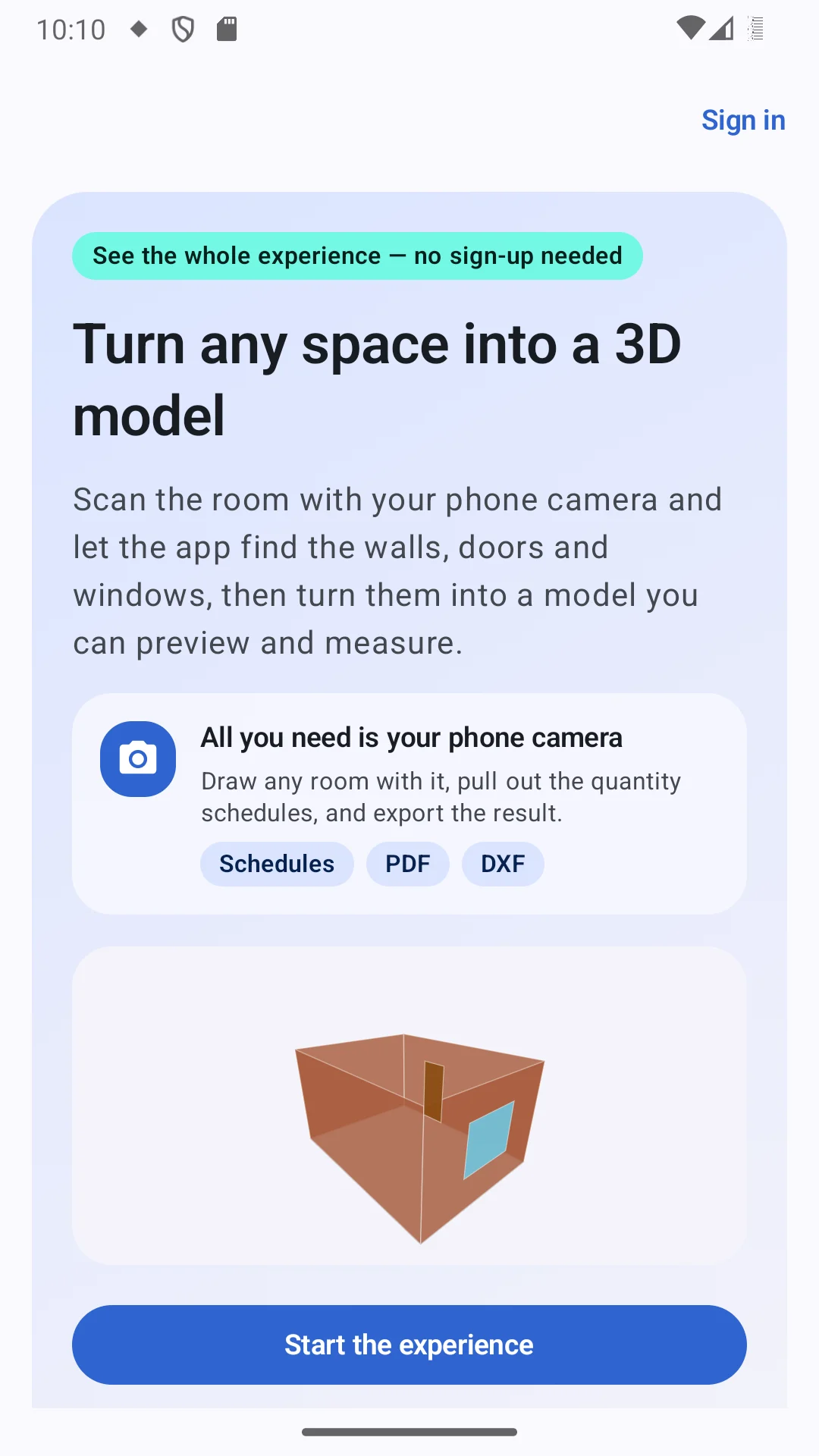
Explore every view of a demo project first.
No extra hardware — the camera does the measuring.
Walk through what the app does, stage by stage.
One account for the app and the web workspace.
What you get out of every room you capture.
Four walls, a door, a window and a floor.
- 1Sign inOne account for the app and the web workspace.
- 2No sign-up neededExplore every view of a demo project first.
- 3Just your phone cameraNo extra hardware — the camera does the measuring.
- 4Schedules · PDF · DXFWhat you get out of every room you capture.
- 5A demo roomFour walls, a door, a window and a floor.
- 6Start the experienceWalk through what the app does, stage by stage.
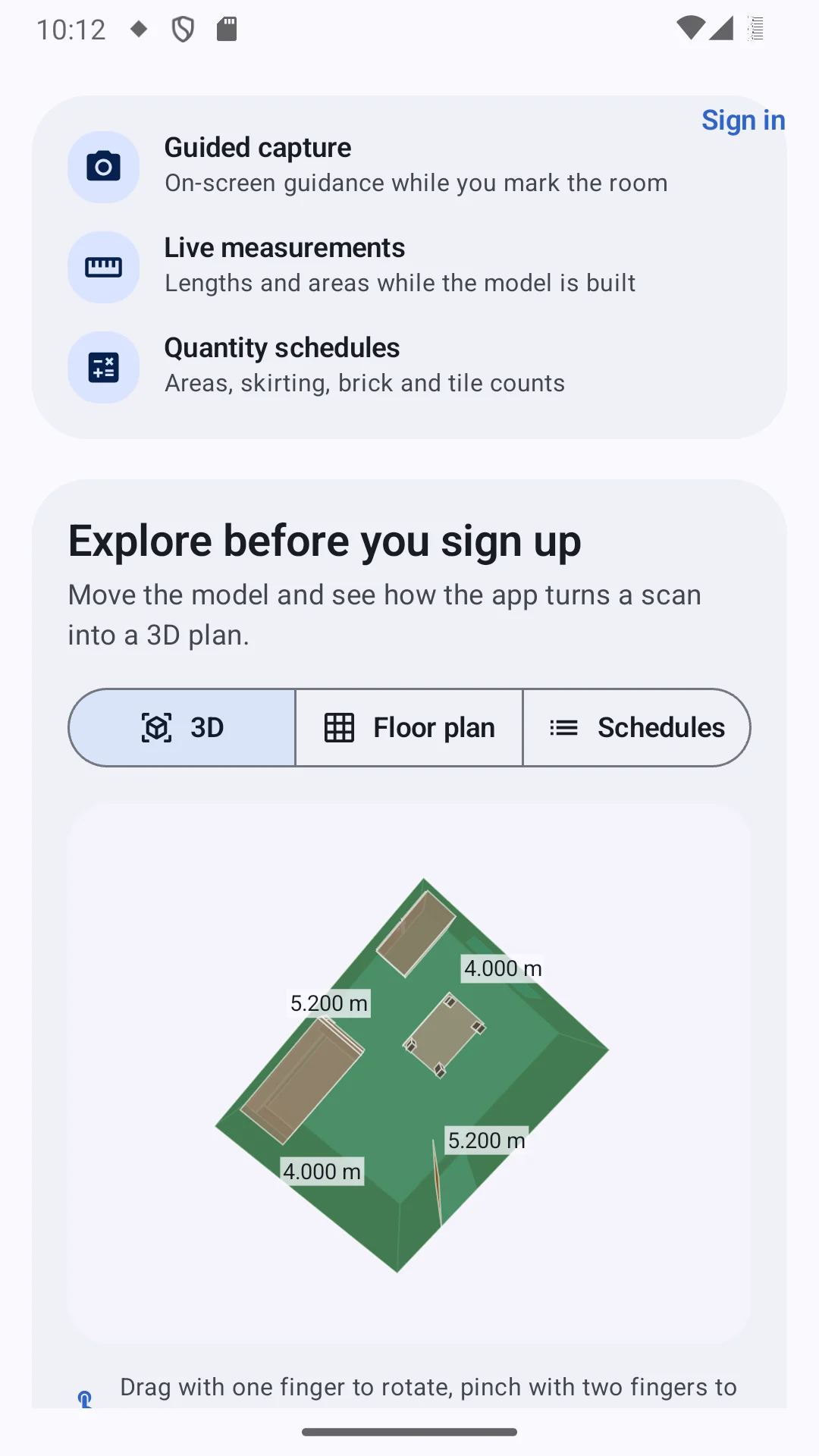
A 3D model you can turn in your hand
Every room you capture becomes a measured 3D model — orbit it, zoom in, or walk through it at eye height.
On-screen guidance while you mark the room.
Lengths and areas while the model is built.
Areas, skirting, brick and tile counts.
Three views of the same project.
Every wall length, labelled on the model.
One finger rotates, two fingers zoom.
- 1Guided captureOn-screen guidance while you mark the room.
- 2Live measurementsLengths and areas while the model is built.
- 3Quantity schedulesAreas, skirting, brick and tile counts.
- 43D · Floor plan · SchedulesThree views of the same project.
- 5Measured wallsEvery wall length, labelled on the model.
- 6Drag and pinchOne finger rotates, two fingers zoom.
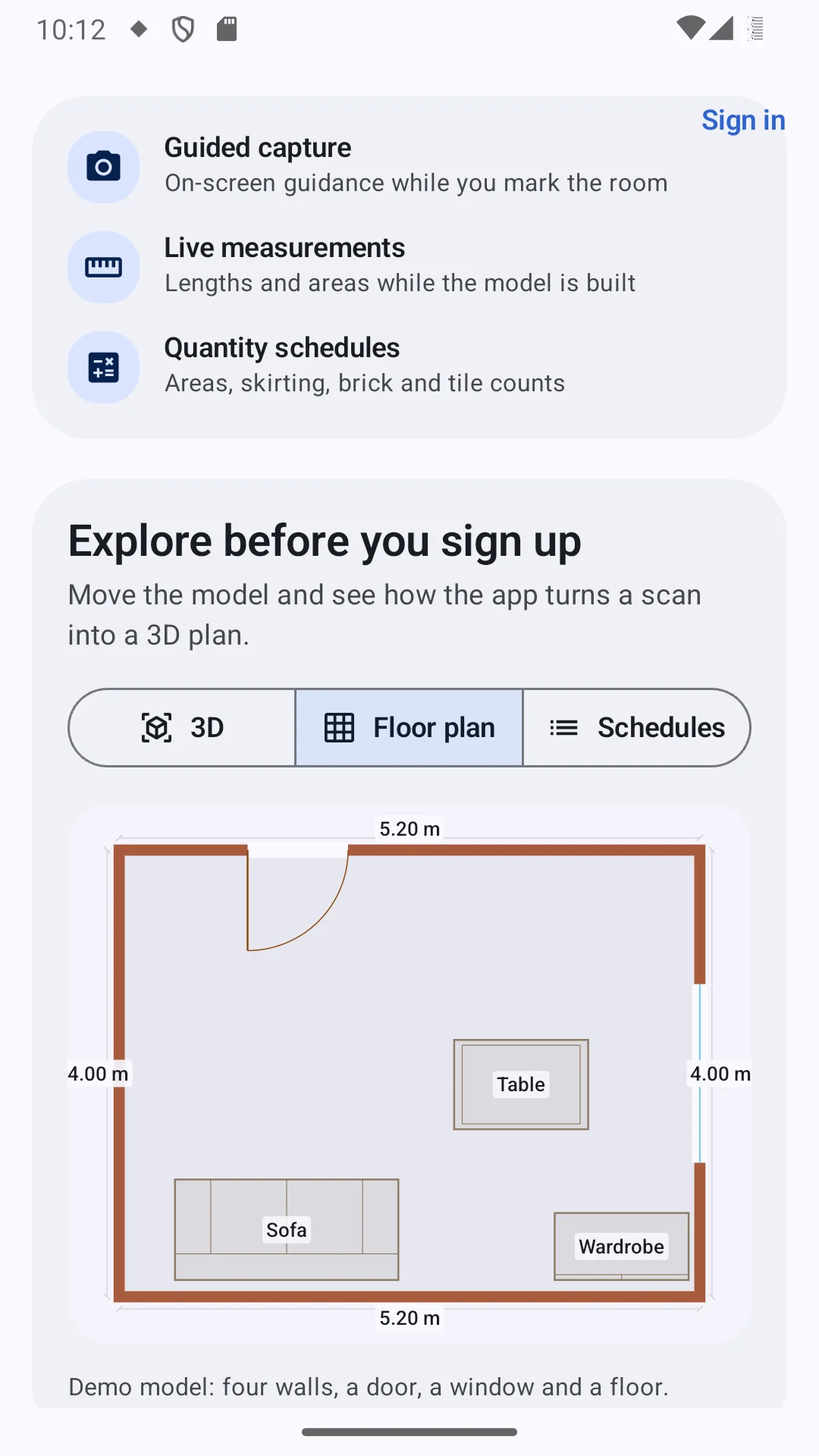
A measured floor plan, drawn for you
The same room as a 2D drawing: dimensions, doors with their swing, windows and furniture.
Wall lengths on every side, in your unit.
Drawn with their swing arc.
Sofa, table, wardrobe — from a searchable library.
Switch between the plan and the model at any time.
Shown with the window symbol in the wall.
- 1Floor plan viewSwitch between the plan and the model at any time.
- 2DimensionsWall lengths on every side, in your unit.
- 3DoorsDrawn with their swing arc.
- 4WindowsShown with the window symbol in the wall.
- 5FurnitureSofa, table, wardrobe — from a searchable library.
The numbers, counted for you
What is in the project and how much of it there is — the figures you would otherwise take off by hand.
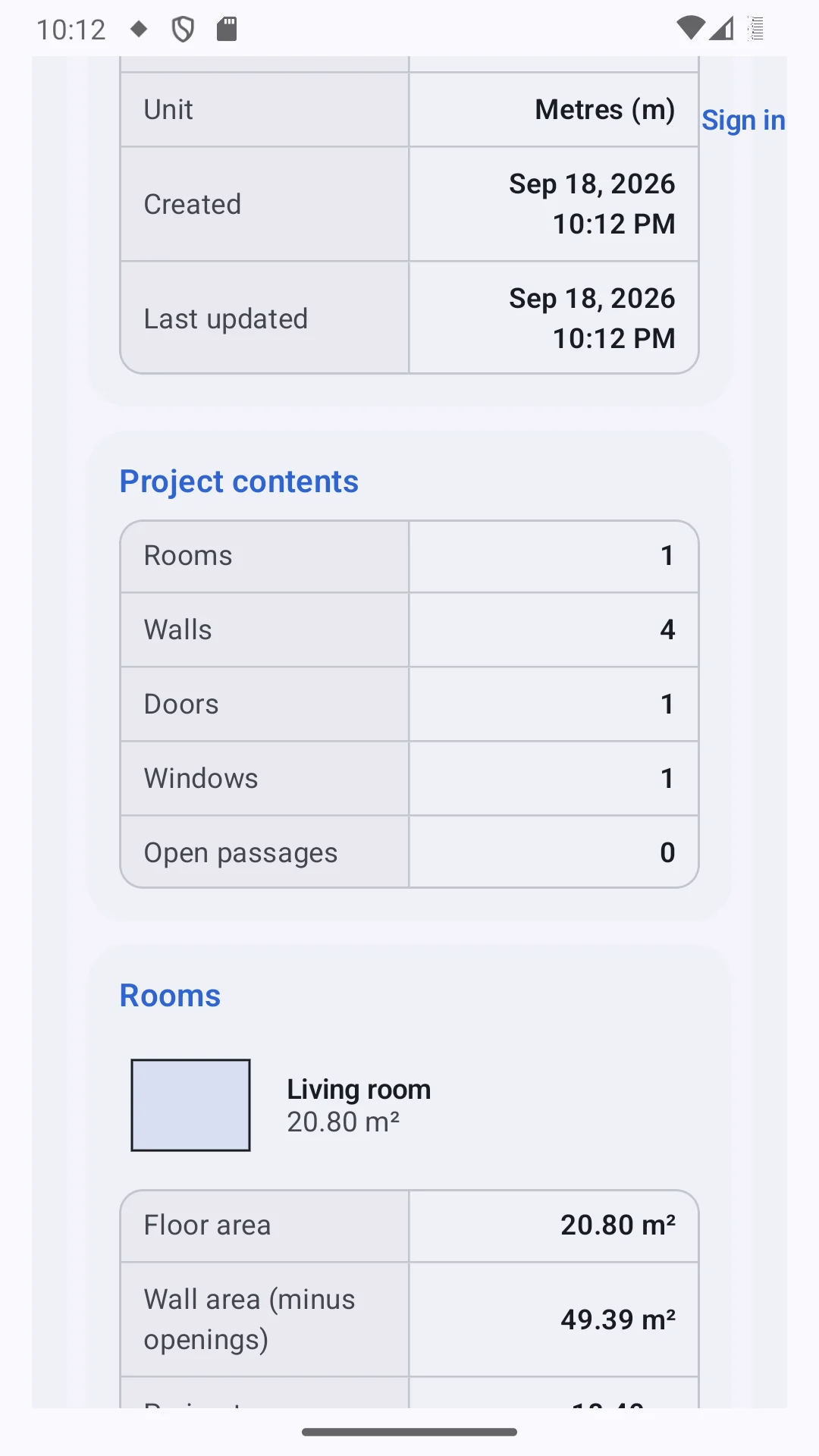
Rooms, walls, doors, windows and open passages.
Counted — and listed in their own schedules.
Its name and floor area.
Per room, and totals for the project.
Plus perimeter, volume and skirting.
- 1Project contentsRooms, walls, doors, windows and open passages.
- 2Doors & windowsCounted — and listed in their own schedules.
- 3Every roomIts name and floor area.
- 4Floor areaPer room, and totals for the project.
- 5Wall area minus openingsPlus perimeter, volume and skirting.
Also in the app
After you sign in — the screens you will use every day.
Dashboard
Active projects, measured models, total floor area, storage and cloud backup — plus anything that needs your attention.
Projects
Active, archived and shared shelves. Search, sort, group by building or client; rename, duplicate, archive or share.
Reports
Floor and wall areas, volume, perimeter and skirting per room, door and window schedules, and brick and tile counts.
Drawing workspace
Edit the plan or draw one by hand: walls, doors, windows, archways and furniture, with move, copy, rotate, trim, offset, dimensions, text and hatch.
Export
A4 PDF floor plan, PNG image, and DXF — a 2D plan with layers, or the 3D model. Open it, or share it straight from the phone.
Cloud backup & sync
Projects back up automatically and sync both ways with the web workspace. Restore them on a new phone.
Share a project
Invite someone by email, view-only or able to edit. Projects shared with you open read-only on the phone.
Continue on the web
Open any project in Projments BIM on the web — the full CAD workspace, levels, schedules and more.
Plans & purchases
See your plan and what it includes; buy a project pack through Google Play and restore purchases on any phone.
Settings
Default unit and decimal places, haptic feedback, and your default brick and tile size for the counts.
English & العربية
The whole app in English or Arabic, right-to-left included.
Help & diagnostics
Scanning tips, a note on accuracy, and a report of what your phone supports, to copy to support.
Some tools depend on your plan — the app shows a padlock on them and how to unlock.
Your camera stays on your phone
Scanning runs on the device. Camera frames, depth data and point clouds are never uploaded. With cloud sync on, only the project itself goes up — names, measurements, walls, openings, rooms, furniture and quantities.
What you need
- Android 8.0 or newer
- ARCore for scanning — without it you can still open, edit and export
- Depth scanning on phones that support it
- Units: mm, cm, m, ft and in
- Works offline — sign-in, purchases and sync need a connection
Measured with AR — accurate enough for plans and estimates, not survey-grade.
Your next floor plan starts on your phone
Install it from Google Play and sign in with your Projments account — the same one as the web.
The pictures on this page are screenshots of the Android app with its demo project.