Your workspace.
In your pocket.
Tasks, timers, checklists, contracts, expenses, sales, chat and calls — the same workspace as the web, on your phone.
Free · Sign in with your Projments account
The Android app in 7 minutes
Every step on the real app. Jump to any chapter.
Every task, wherever you are
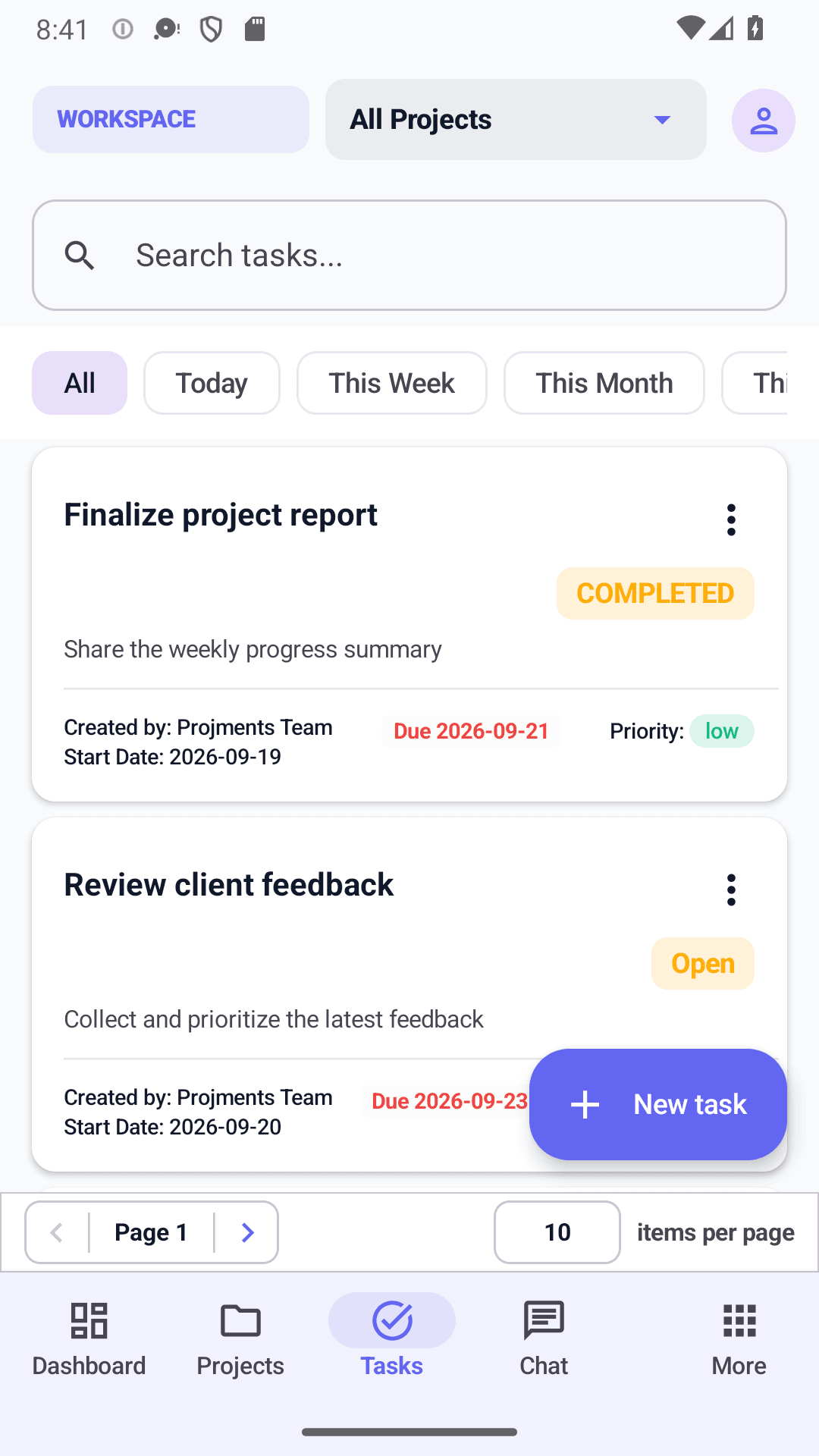
Status, dates and priority on every card — and a new task is one tap away.
Find any task by name.
Who created it, when it starts, when it is due and how urgent it is.
All, Today, This Week, This Month and more.
Your workspace’s own statuses, in colour.
Create a task from your phone.
- 1SearchFind any task by name.
- 2Date filtersAll, Today, This Week, This Month and more.
- 3StatusYour workspace’s own statuses, in colour.
- 4Due date & priorityWho created it, when it starts, when it is due and how urgent it is.
- 5New taskCreate a task from your phone.
Start the timer on the go
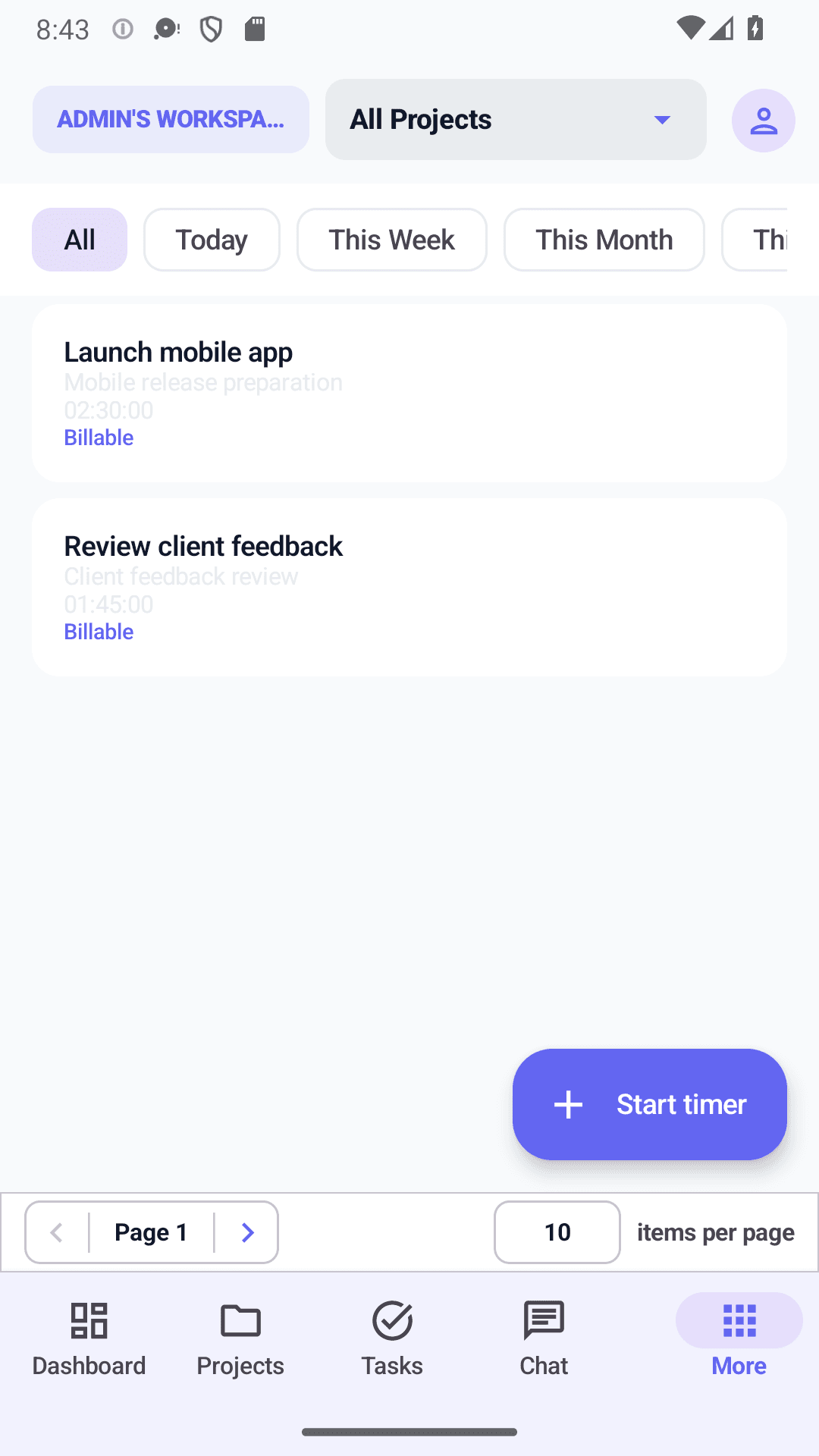
Your time entries, filtered by day, week or month — and the timer one tap away.
The task, what you did and how long it took.
Billable time is marked on the entry.
Today, this week, this month — or everything.
Pick a task and go — the same timer as the web and the desktop app.
- 1Pick the periodToday, this week, this month — or everything.
- 2Every entryThe task, what you did and how long it took.
- 3BillableBillable time is marked on the entry.
- 4Start timerPick a task and go — the same timer as the web and the desktop app.
Checklists in your pocket
See how far each checklist has come, and tick items off on site.
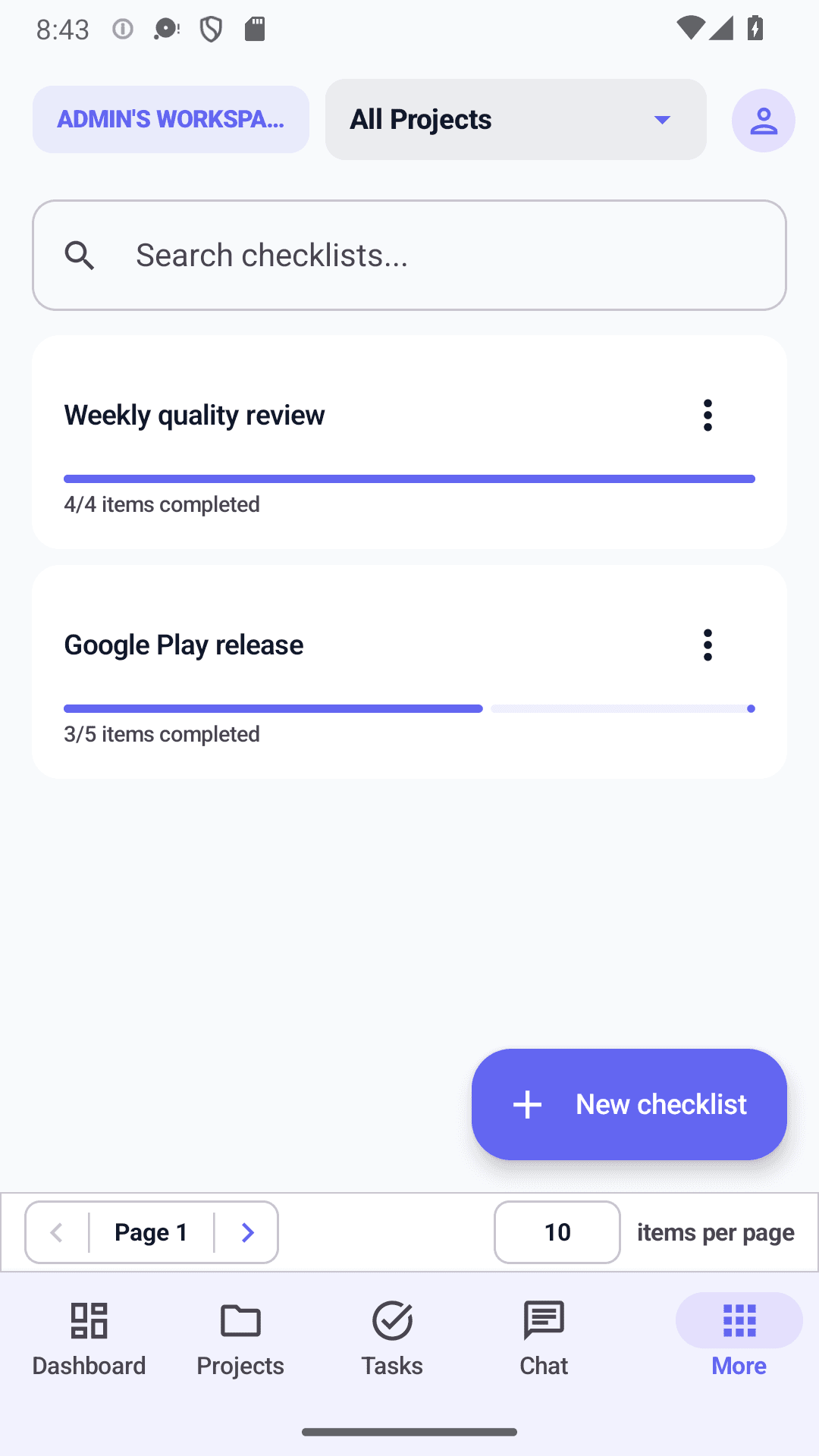
Find a checklist by name.
A bar fills as items are done.
3 of 5 completed — at a glance.
Open the menu on any checklist.
Start one right from the phone.
- 1SearchFind a checklist by name.
- 2ProgressA bar fills as items are done.
- 3More actionsOpen the menu on any checklist.
- 4Items done3 of 5 completed — at a glance.
- 5New checklistStart one right from the phone.
Contracts, and the whole app around them
Switch workspace, narrow to one project, and move between modules from the bar at the bottom.
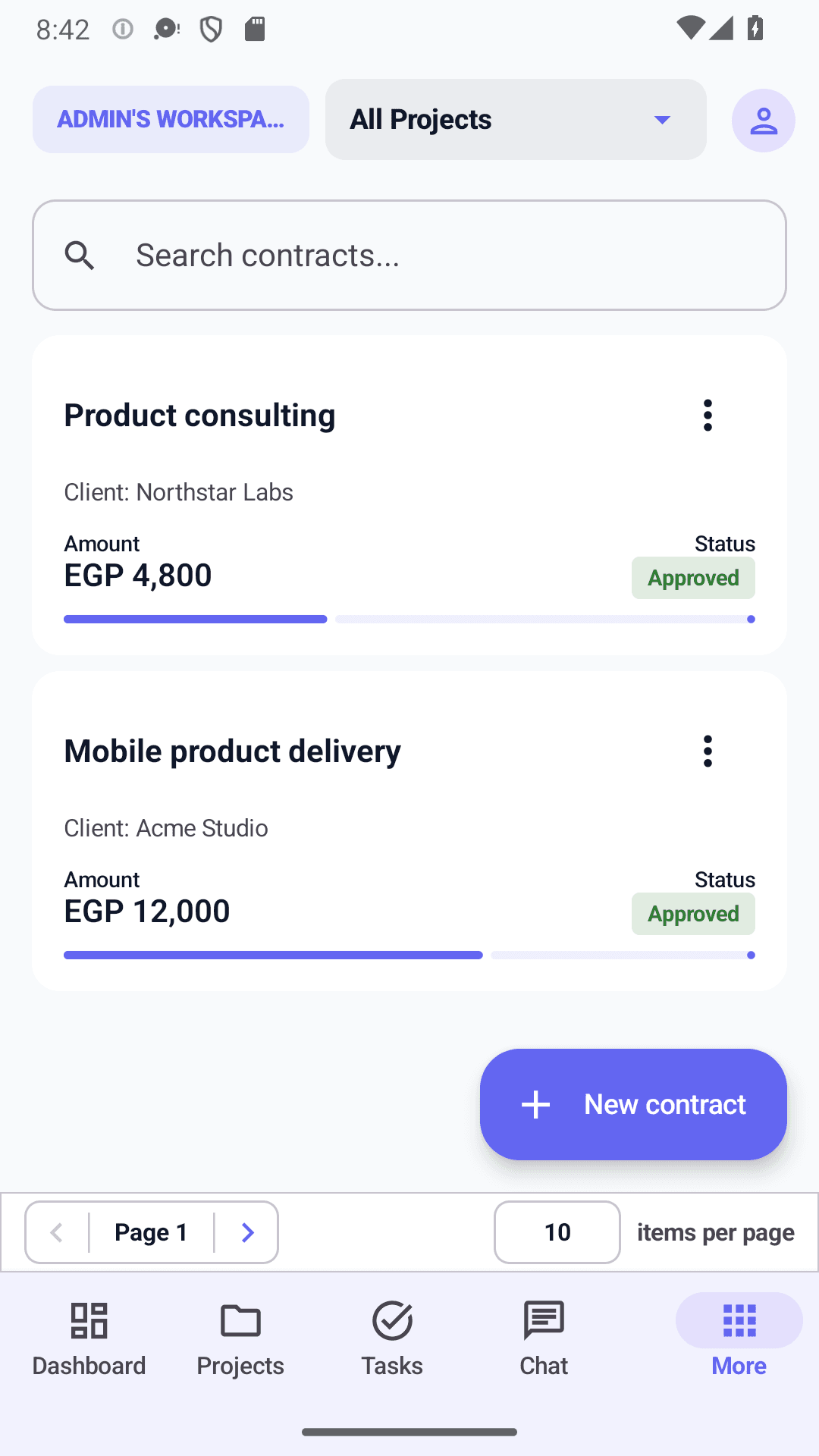
Switch between the workspaces you belong to.
Who the contract is with.
The contract value, and a bar for how far it has come.
Or narrow every list to one project.
Approved, pending and the rest, at a glance.
Add one from your phone.
Every module, one tap away.
- 1Your workspaceSwitch between the workspaces you belong to.
- 2All projectsOr narrow every list to one project.
- 3ClientWho the contract is with.
- 4Amount & progressThe contract value, and a bar for how far it has come.
- 5StatusApproved, pending and the rest, at a glance.
- 6New contractAdd one from your phone.
- 7Dashboard · Projects · Tasks · Chat · MoreEvery module, one tap away.
Log expenses the moment they happen
Filter by status and period — the total adds up what you are looking at.
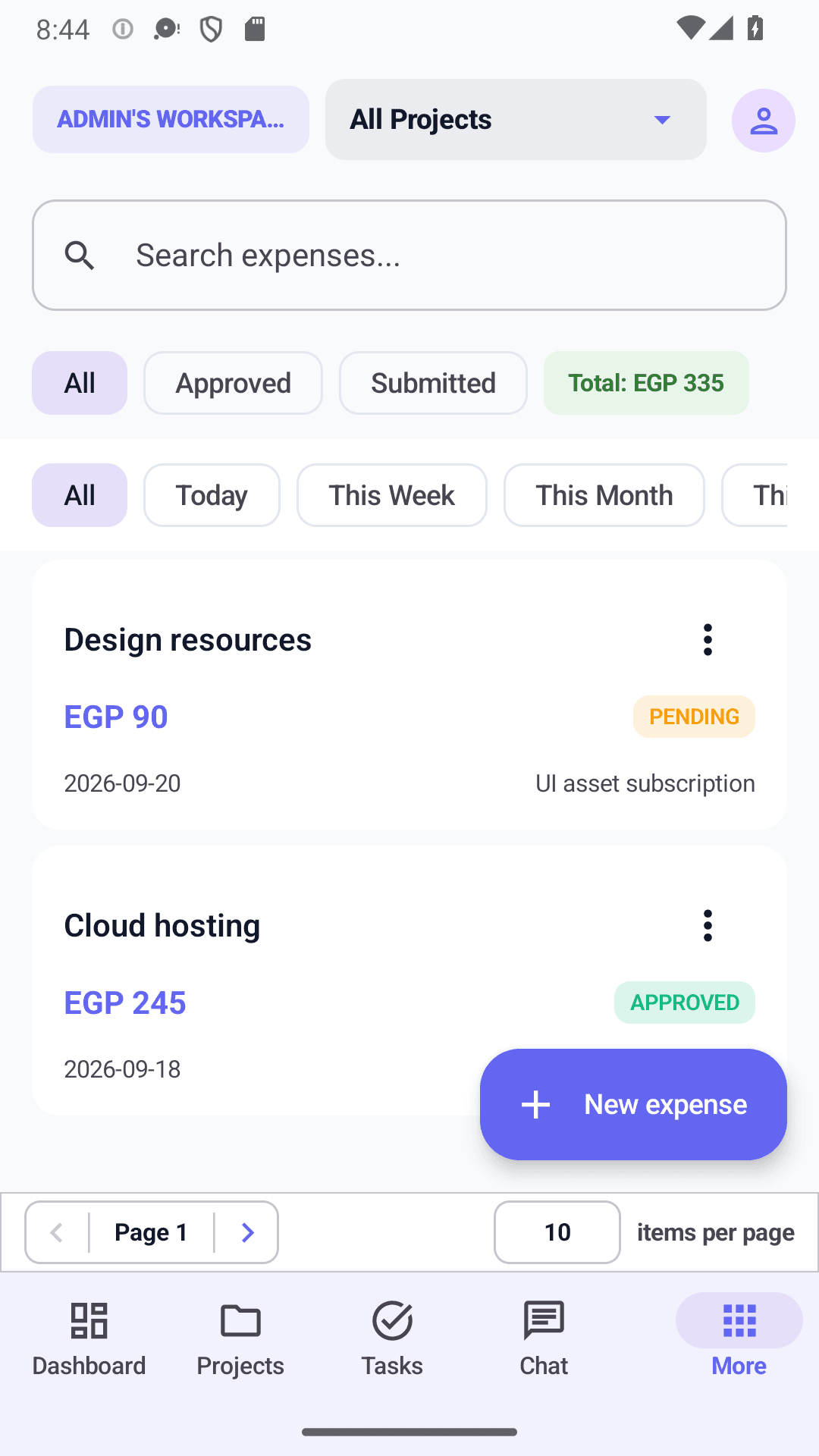
Filter by where each expense stands.
What it cost, and when.
Adds up the expenses in the list.
Today, this week, this month.
Pending until it is approved.
Add it on the spot, receipt in hand.
- 1Approved or submittedFilter by where each expense stands.
- 2TotalAdds up the expenses in the list.
- 3PeriodToday, this week, this month.
- 4Amount & dateWhat it cost, and when.
- 5StatusPending until it is approved.
- 6New expenseAdd it on the spot, receipt in hand.
Sales, pending to paid
Every sale with its amount, date and status — and the total of the list on top.
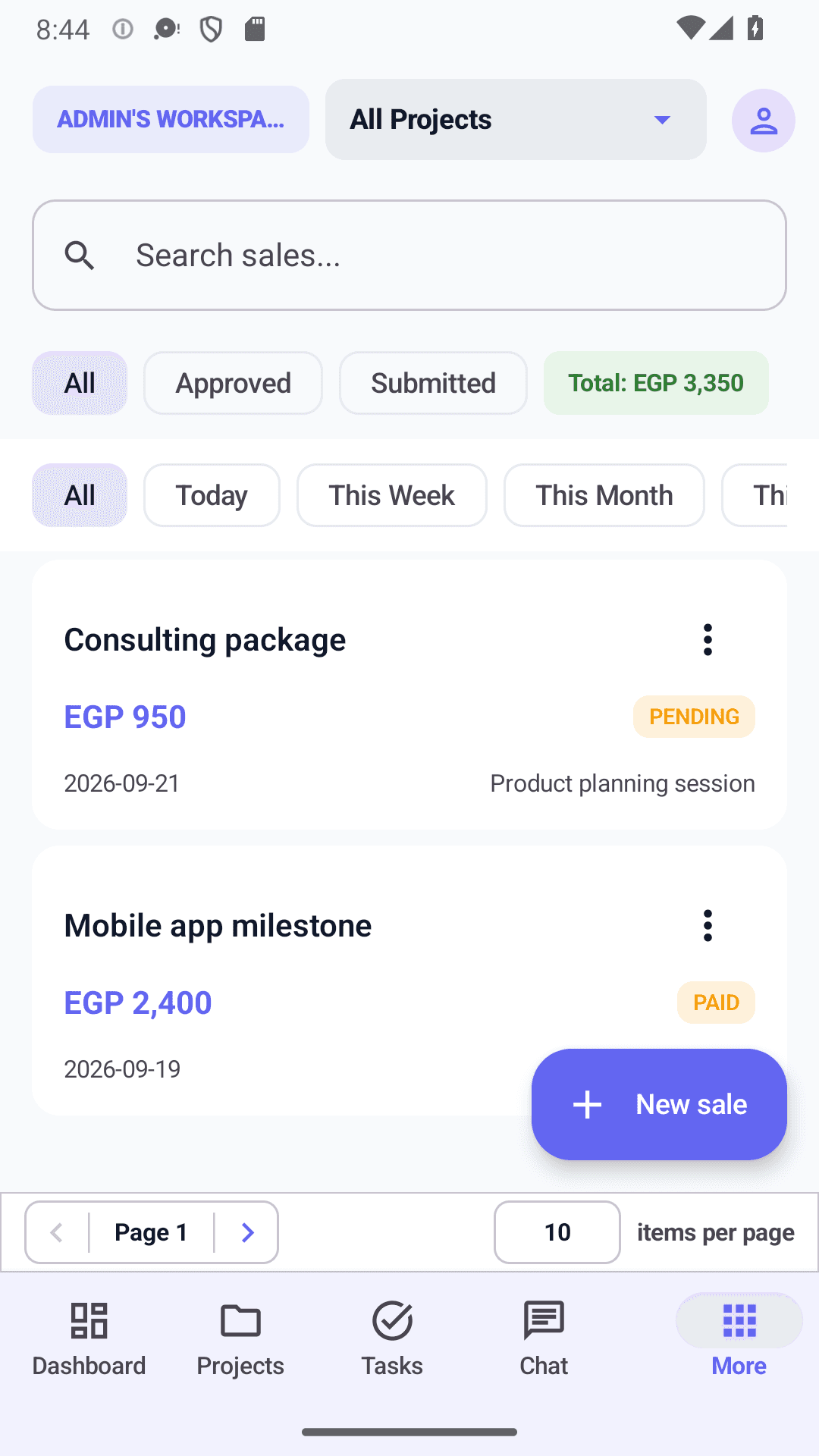
Find a sale by name.
The value of each sale.
Adds up the sales in the list.
Waiting for approval or payment.
Marked the moment the money is in.
- 1SearchFind a sale by name.
- 2TotalAdds up the sales in the list.
- 3AmountThe value of each sale.
- 4PendingWaiting for approval or payment.
- 5PaidMarked the moment the money is in.
Also in the app
Dashboard
Your workspace at a glance.
Projects & submissions
Every project, and the submissions inside it.
Chat
Message your team and share files.
Voice & video calls
Call a teammate from the app.
Push notifications
Mentions, replies and task updates reach your phone.
Calendar
Deadlines and events, by day and month.
Files
Project files and documents.
Reports
Your workspace’s reports, on the phone.
Collaboration & clients
Collaboration rooms and your client list.
You see what your permissions allow — the same as on the web.
Take your workspace with you
Install it from Google Play and sign in with your Projments account.
The pictures on this page are screenshots of the Android app with sample data.
Ready to Supercharge Your Team?
Projects, time, collaboration and results — all in one workspace.
✓Free plan available✓No credit card required✓Cancel anytime