Every date in the workspace, one month grid
See project, submission, task and contract dates, plus expenses, sales, meetings and logged hours, on one month grid. Schedule team meetings from the same page.
Starter and Professional plans
Every date, one month
Projects, tasks, contracts, money, meetings and hours on one month grid.
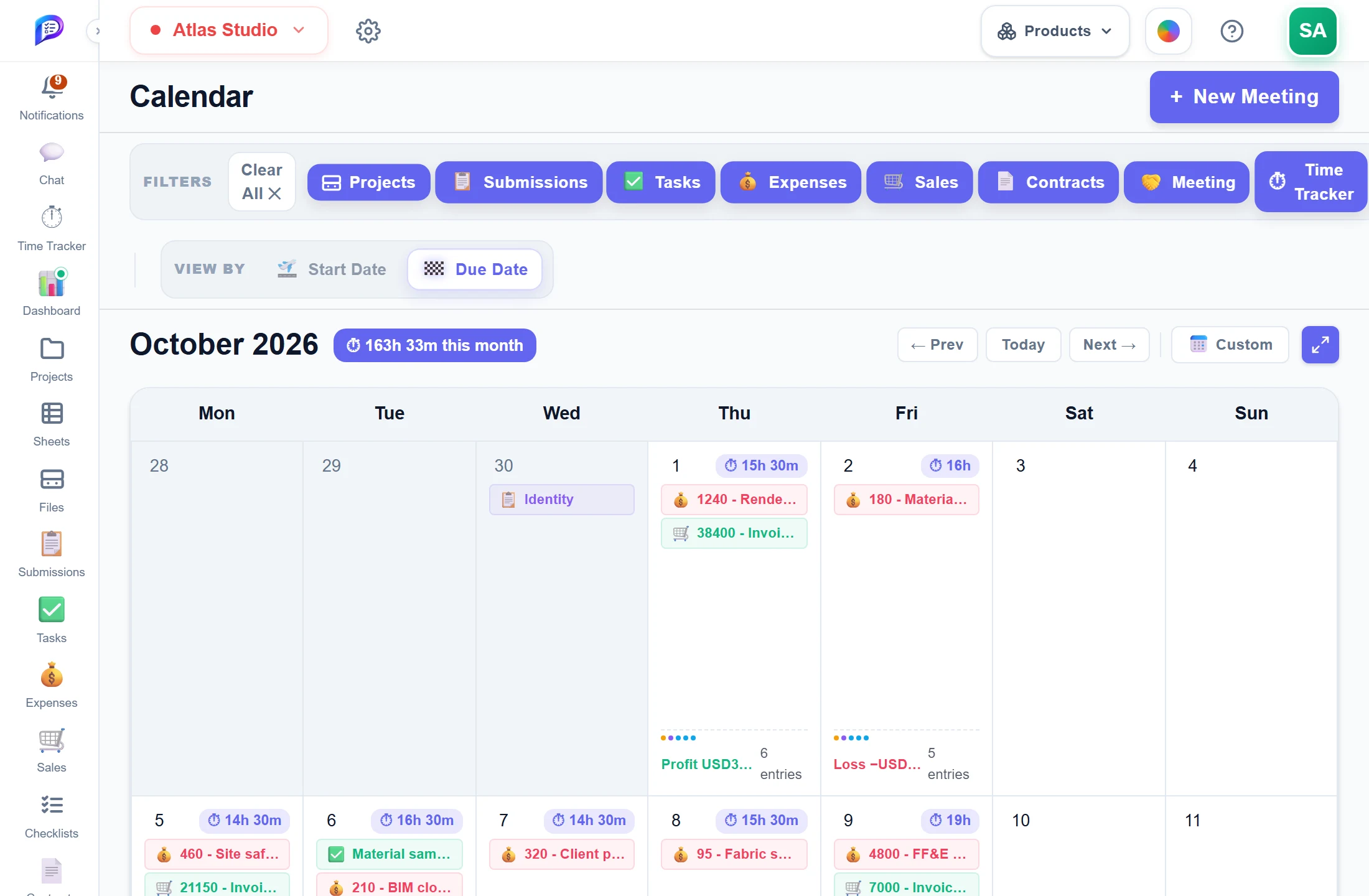
Choose which date places items.
Turn each kind of item on or off.
Schedule a call with the team.
Sales, expenses and the day’s profit or loss.
- 1LayersTurn each kind of item on or off.
- 2Start or due dateChoose which date places items.
- 3New MeetingSchedule a call with the team.
- 4Money per daySales, expenses and the day’s profit or loss.
Good to know
Layers you control
Turn each layer on or off: projects, submissions, tasks, contracts, expenses, sales, meetings and time.
Start or due date
View By chooses which date places projects, submissions, tasks and contracts on the grid.
Hours per day
The Time Tracker layer adds an hours badge to each day and a total for the month.
Money per day
With Sales and Expenses on (Professional), each day ends with a Sales, Expenses, Profit or Loss line.
Meetings with a chat
Each new meeting gets a group chat in Chat for its attendees, up to 50 people.
Open where it lives
Click any item to open it in its project, with that item selected.
Works hand in hand with
The pictures on this page are screenshots of Projments with a sample company's data.
Ready to Supercharge Your Team?
Projects, time, collaboration and results — all in one workspace.
✓Free plan available✓No credit card required✓Cancel anytime