Every project cost, approved and counted
Record what a project costs, approve it, and pay the team for the hours they logged. Approved expenses count against profit on the project’s Status tab and in Reports.
Professional plan
Expenses in 5 minutes
Every step on the real app. Jump to any chapter.
Every cost, every project
Record costs per project, filter them any way, and see the total.
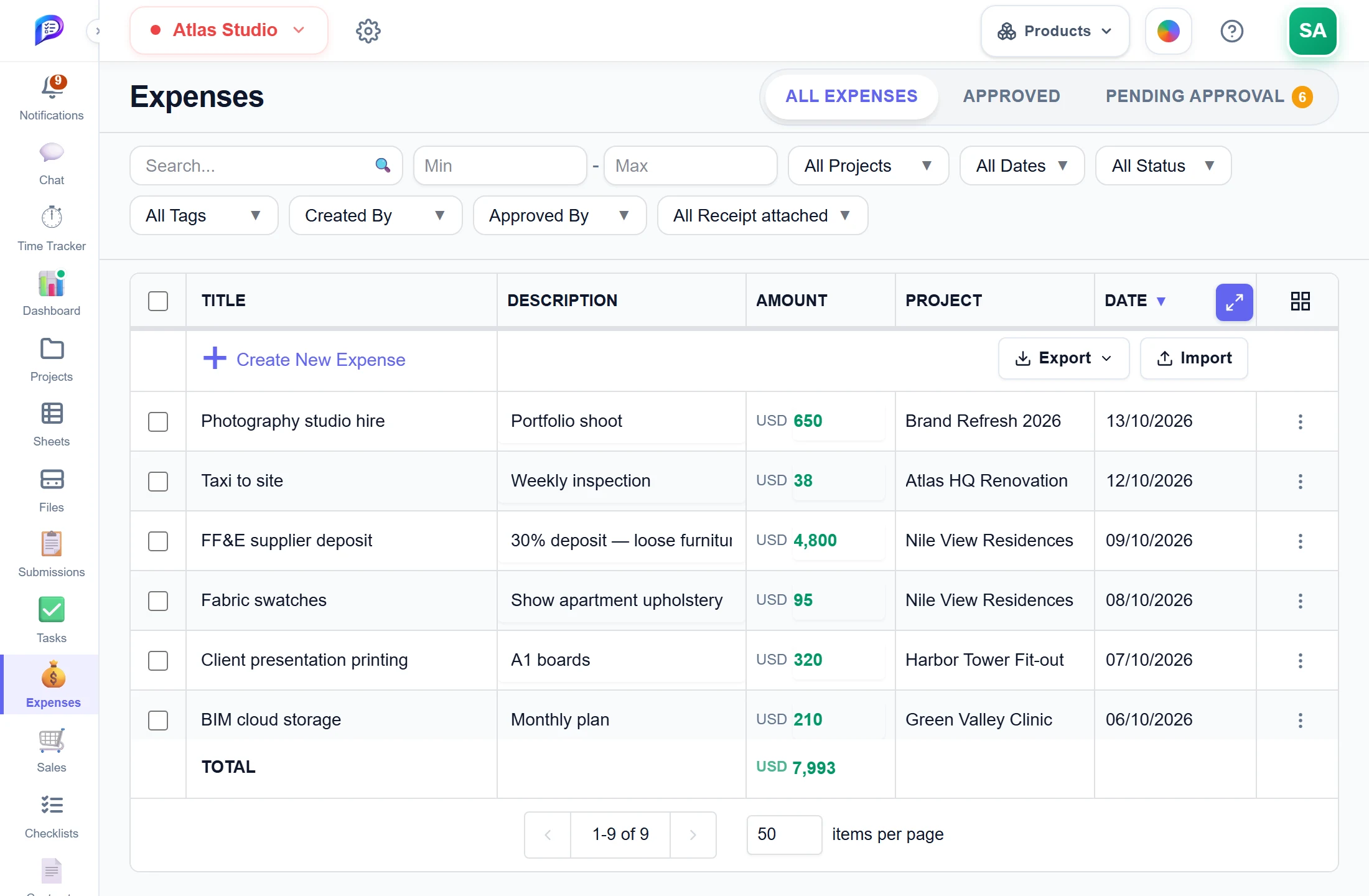
Amount range, project, dates, status, tags and your own fields.
Every expense belongs to a project.
Adds up what the filters show.
All, approved, or waiting for approval.
- 1Approval tabsAll, approved, or waiting for approval.
- 2FiltersAmount range, project, dates, status, tags and your own fields.
- 3Per projectEvery expense belongs to a project.
- 4Running totalAdds up what the filters show.
Approve in one click
Expenses from team members wait here until an approver accepts them.
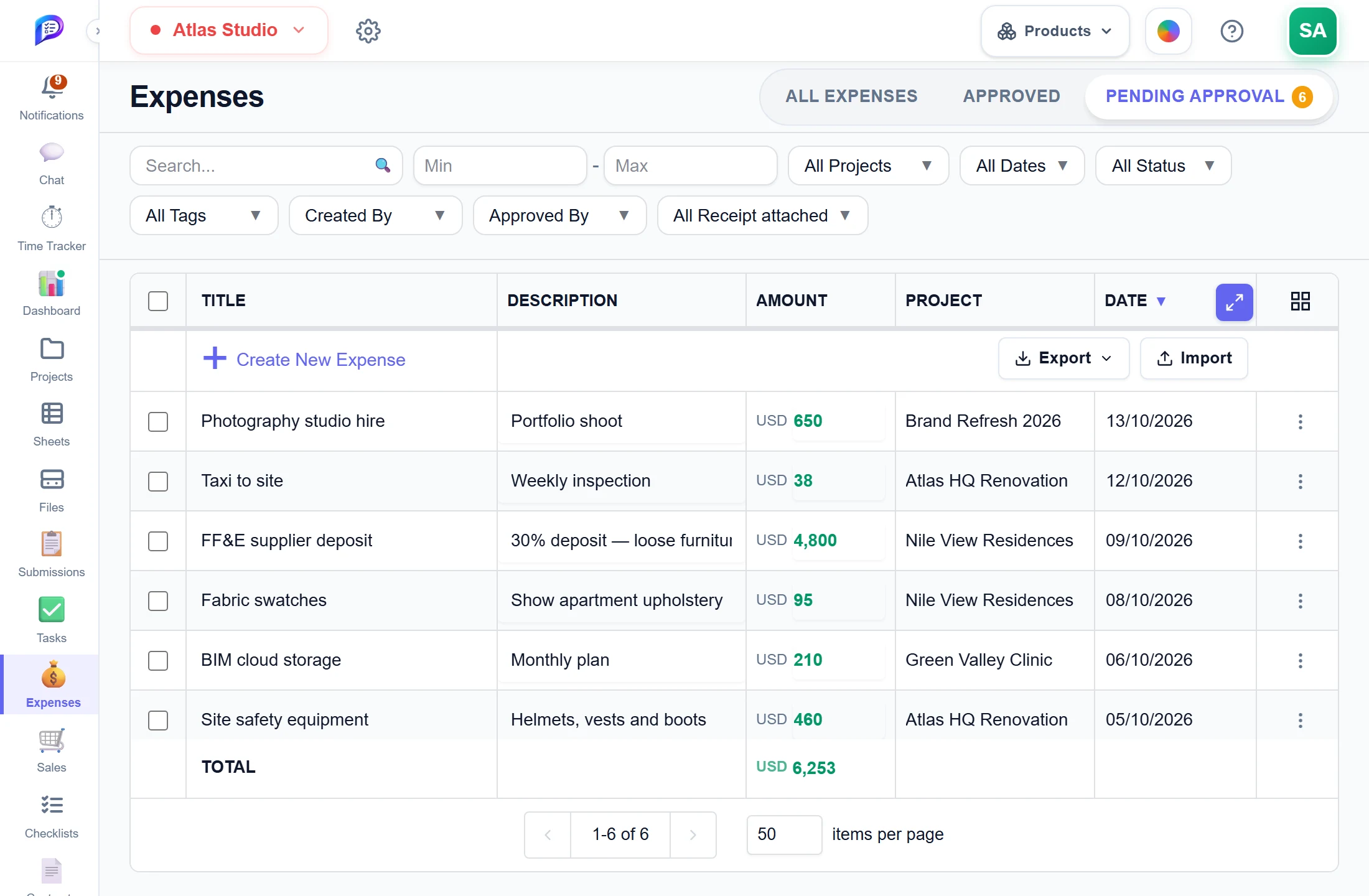
Members with Manage send expenses for approval.
The total waiting for approval.
The count of expenses to review.
- 1Waiting for youThe count of expenses to review.
- 2Submitted by the teamMembers with Manage send expenses for approval.
- 3What it adds up toThe total waiting for approval.
Good to know
Clear approvals
The workspace owner, members with Full Access and the project’s manager approve. Quick Approve takes one click.
Edits go back for review
An edit by a Manage member sends the expense back to Pending. Approvers see each field’s original and requested value.
Pay for logged hours
Build the amount from hours logged on a task, or by one member across tasks. Each row is priced at its billable rate.
Never pay twice
Each row remembers how much of it earlier expenses already claimed and only offers the rest.
Payment status on tasks
The Tasks page shows each task as Unpaid, Awaiting approval, Partly paid or Paid, worked out from your expenses.
Import and export
Import up to 500 rows from Excel or CSV with a checked preview. Export the current filter or everything.
Works hand in hand with
The pictures on this page are screenshots of Projments with a sample company's data.
Ready to Supercharge Your Team?
Projects, time, collaboration and results — all in one workspace.
✓Free plan available✓No credit card required✓Cancel anytime