Record income and see real profit
Record what a project brings in: invoices, paid retainers, one-off charges. Approved sales and contracts are the income, and approved expenses are taken away to give profit.
Professional plan
Sales in 4 minutes
Every step on the real app. Jump to any chapter.
Income you can trust
Invoices and payments per project — approved sales count as income.
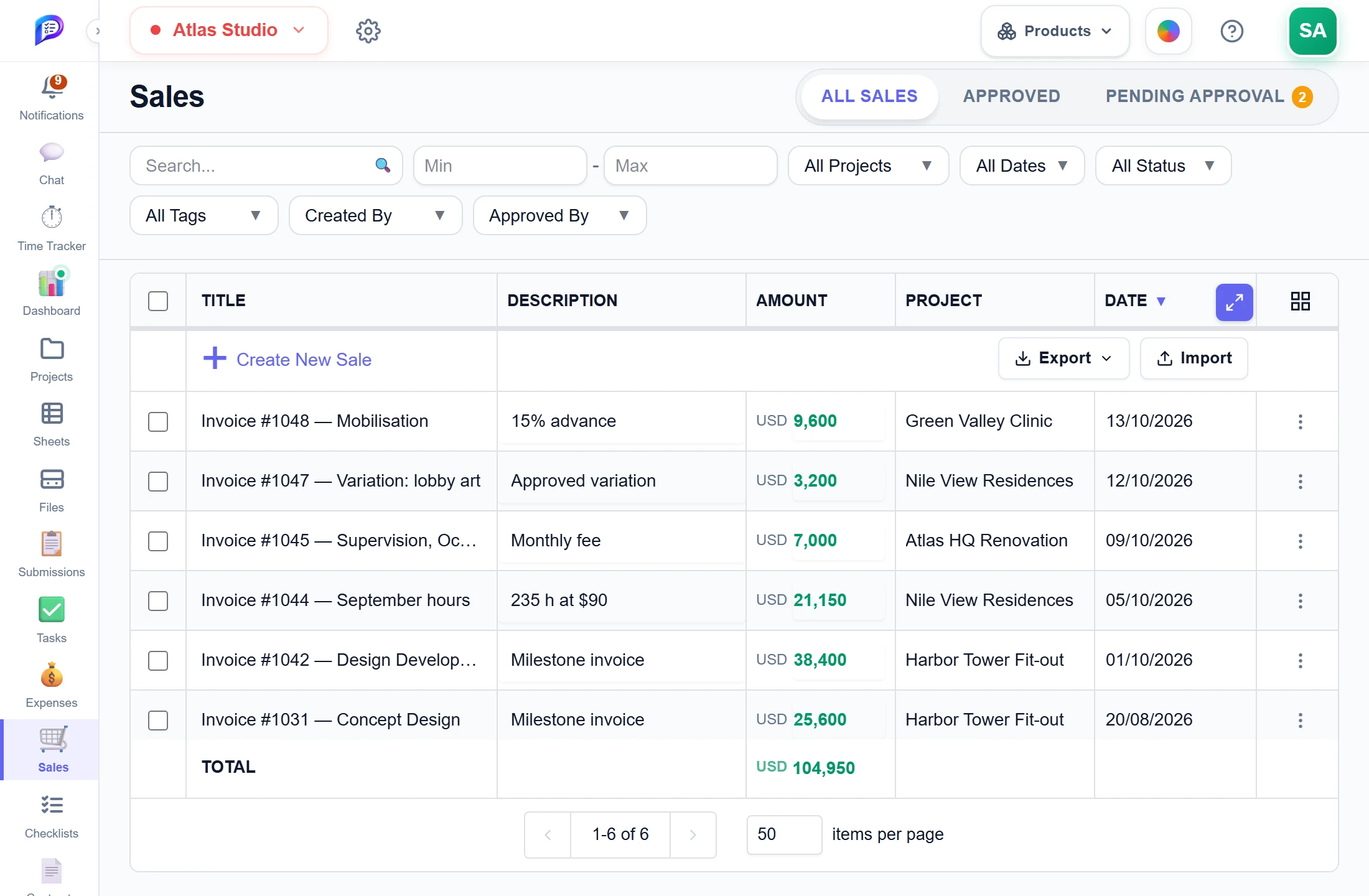
Title, description, amount, project and date.
Adds up the rows you ticked, or everything shown.
Sales from the team wait for an approver.
Import up to 500 rows with a checked preview.
- 1Every invoiceTitle, description, amount, project and date.
- 2ApprovalsSales from the team wait for an approver.
- 3Running totalAdds up the rows you ticked, or everything shown.
- 4Excel in and outImport up to 500 rows with a checked preview.
Good to know
Profit you can trust
Only approved sales count as confirmed income on the project’s Status tab and in Reports.
Approvals with review
Edits by Manage members go back to Pending. Approvers compare original and requested values, then approve or reject.
Convert to an expense
Move a record from Sales to Expenses with Convert to Expense, keeping its creator, status, project and tag.
Bulk edit
Tick rows to change tags, status, date, project or amount at once, or convert or delete them together.
Running totals
The footer TOTAL adds up the ticked rows or, with none ticked, every sale your tab and filters match.
Import and export
Import up to 500 rows from Excel or CSV with a checked preview. Export Excel or CSV.
Works hand in hand with
The pictures on this page are screenshots of Projments with a sample company's data.
Ready to Supercharge Your Team?
Projects, time, collaboration and results — all in one workspace.
✓Free plan available✓No credit card required✓Cancel anytime