Bring your data in, take it with you
Import tasks, projects, submissions, members, clients, tags, contracts, expenses and sales from Excel or CSV templates, and export lists and reports when you need them.
Every plan, including Free
Bring it in from Excel
Download the template, fill it in, and check every row before anything is created.
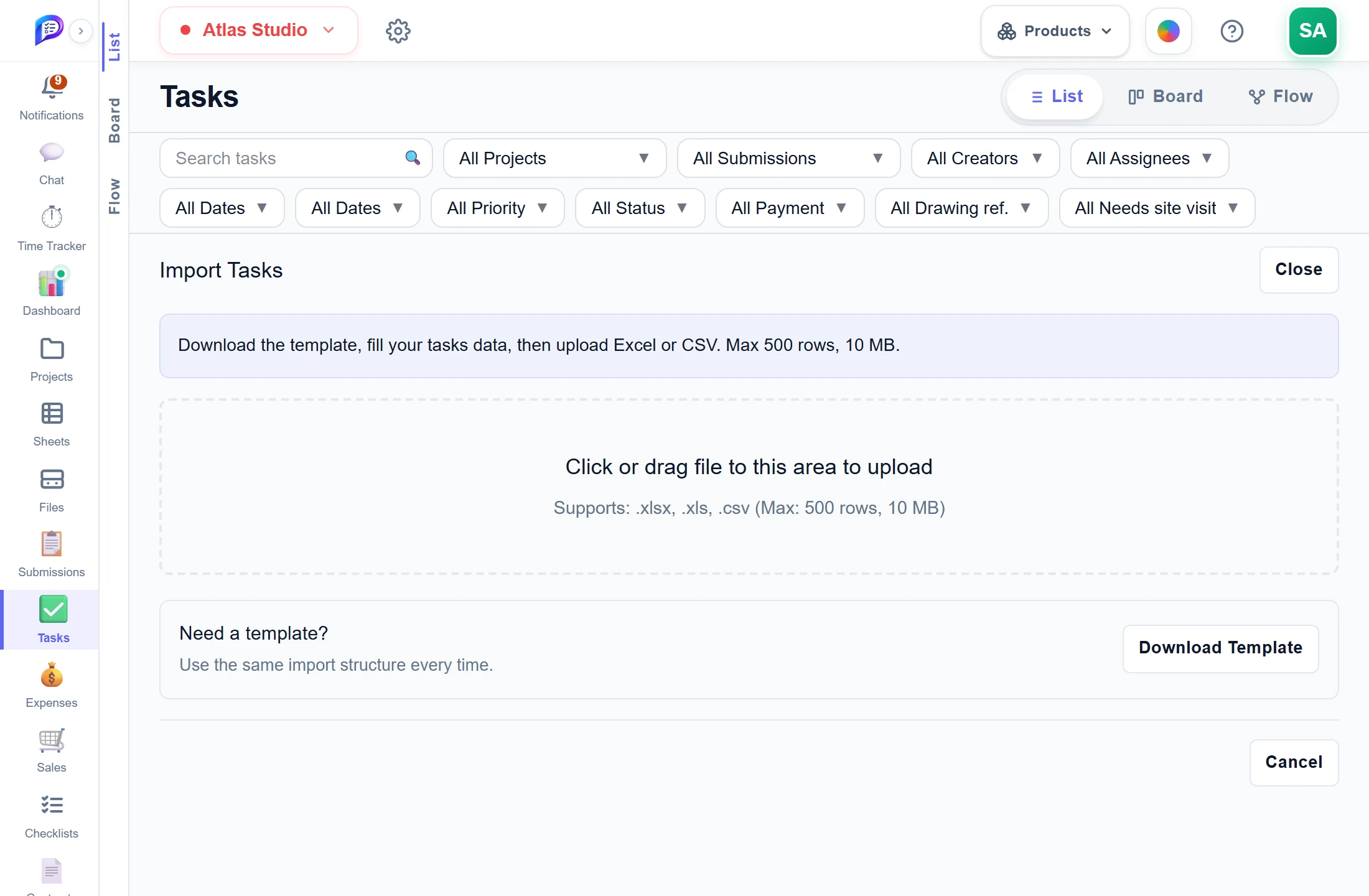
A preview marks problem rows before import.
Up to 500 rows and 10 MB per file.
Dropdowns for your projects, team and tags.
- 1Excel or CSVUp to 500 rows and 10 MB per file.
- 2Drop the fileA preview marks problem rows before import.
- 3Start from a templateDropdowns for your projects, team and tags.
Take it with you
Export what you are looking at, or every record — as Excel or CSV.
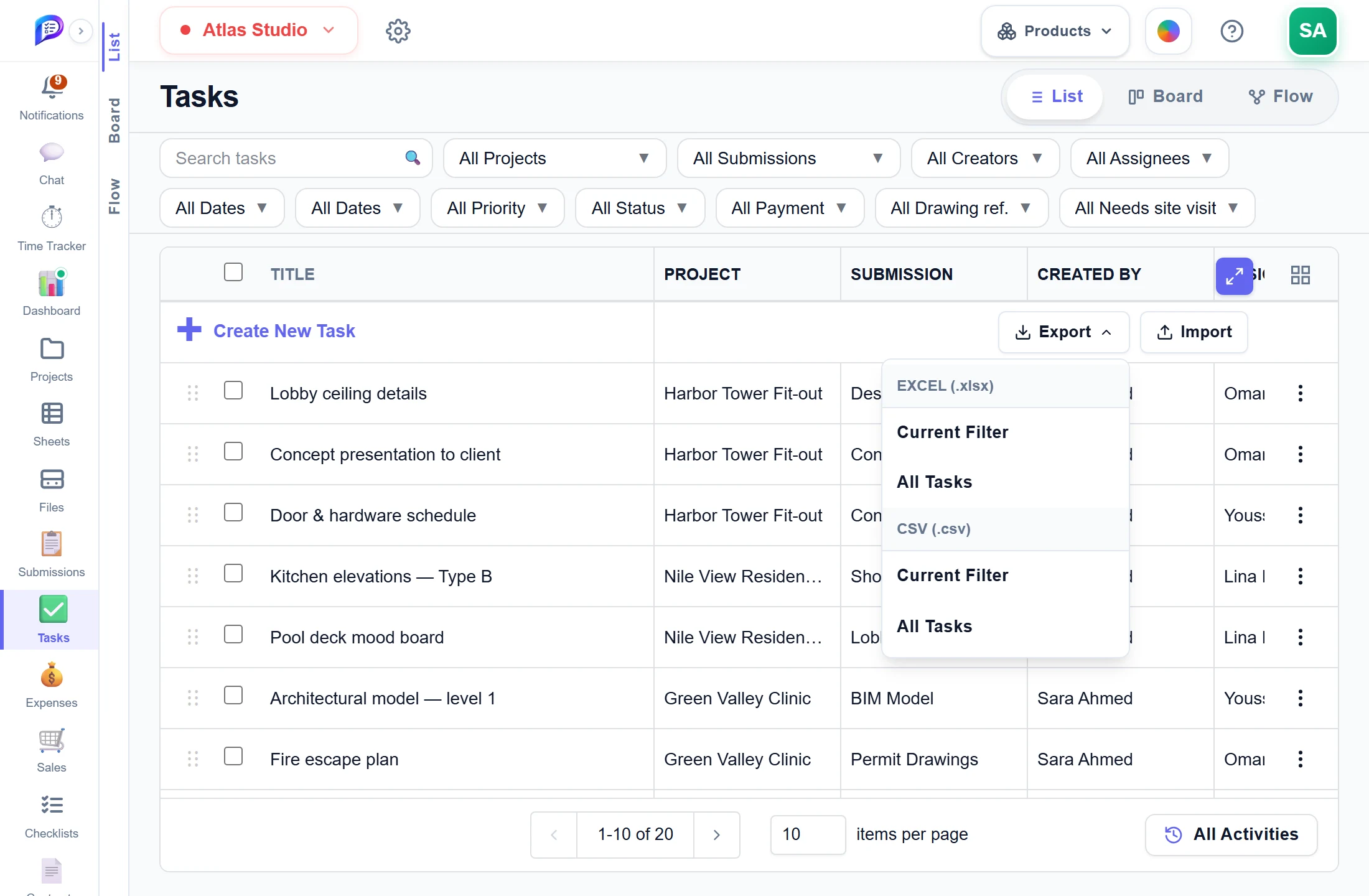
All Tasks exports every record.
Pick the format.
Your shown columns, in your order.
- 1Excel or CSVPick the format.
- 2Current FilterYour shown columns, in your order.
- 3Or everythingAll Tasks exports every record.
Good to know
Start from a template
Each import offers a template. The Tasks one has dropdowns and reference sheets for your projects, submissions, team and tags.
Check before you import
The preview marks problem rows. Fix cells in the table and untick rows you want to skip.
File limits
.xlsx, .xls and .csv files are accepted, up to 500 rows and 10 MB each.
Export what you see
Export Current Filter, with your shown columns in your order, or every record, as Excel (.xlsx) or CSV.
Reports to share
Time reports export as CSV, Excel or PDF. Planned vs Actual and the executive reports export as PDF.
Drawings and flows
Export sheets as one combined PDF or separate PDFs, with or without markups, and task flows as PNG or PDF.
Works hand in hand with
The pictures on this page are screenshots of Projments with a sample company's data.
Ready to Supercharge Your Team?
Projects, time, collaboration and results — all in one workspace.
✓Free plan available✓No credit card required✓Cancel anytime