Decide who sees what, page by page
Invite your team and give each person two things: a permission set for what they can do, and an access scope for which clients and projects they can reach.
Every plan, including Free
Members & Permissions in 4 minutes
Every step on the real app. Jump to any chapter.
Your team, one list
Invite people, set their role and rate, and choose what each can open.
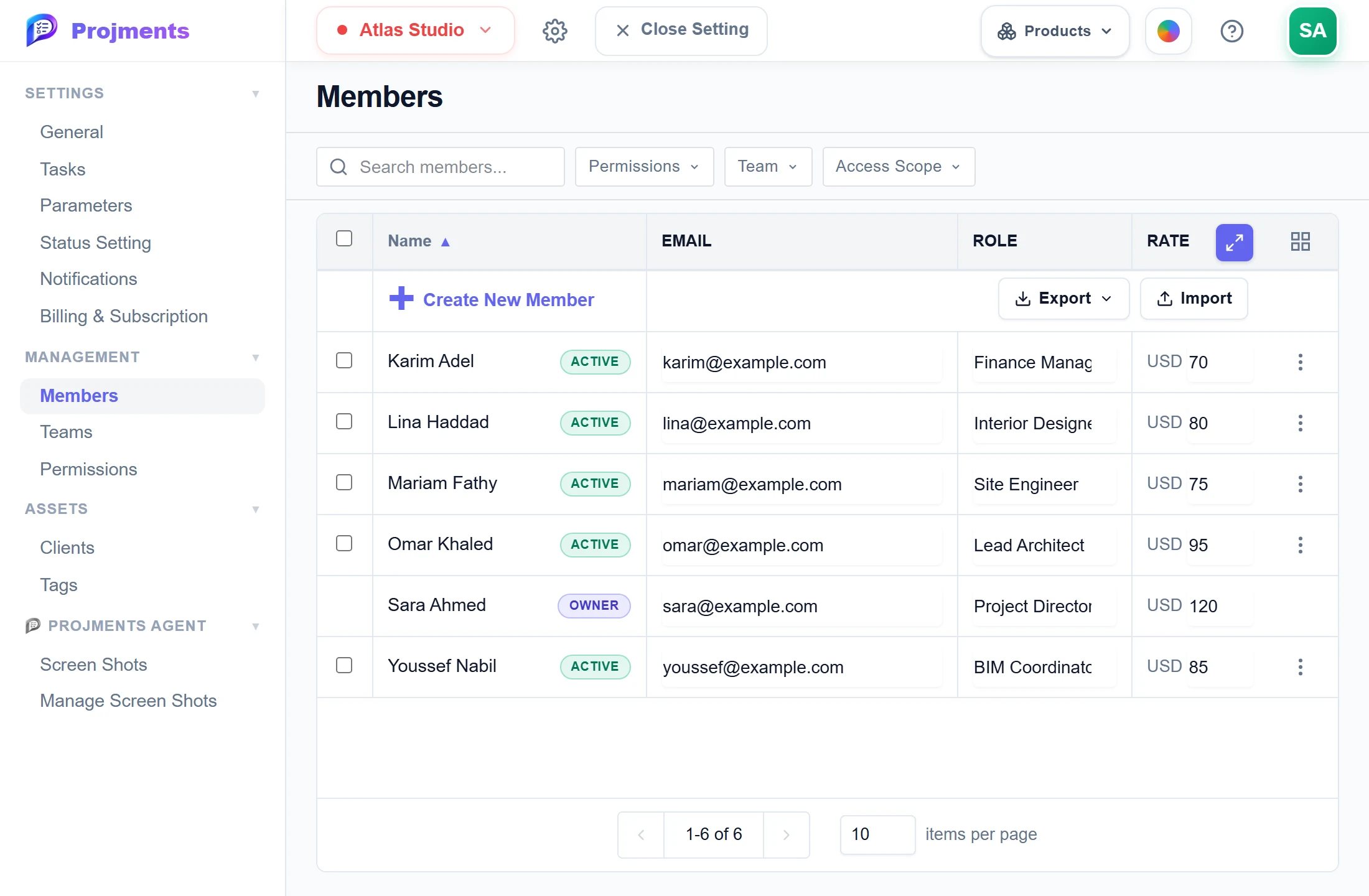
Filter by permission set, team or access scope.
Owner, active members and pending invites.
Unlimited invites on every plan.
Each person’s role and billable rate.
- 1Invite peopleUnlimited invites on every plan.
- 2Permissions and scopeFilter by permission set, team or access scope.
- 3RolesOwner, active members and pending invites.
- 4Role and rateEach person’s role and billable rate.
Access page by page
Name a set once, give it to many people — None, View, Manage or Full Access per page.
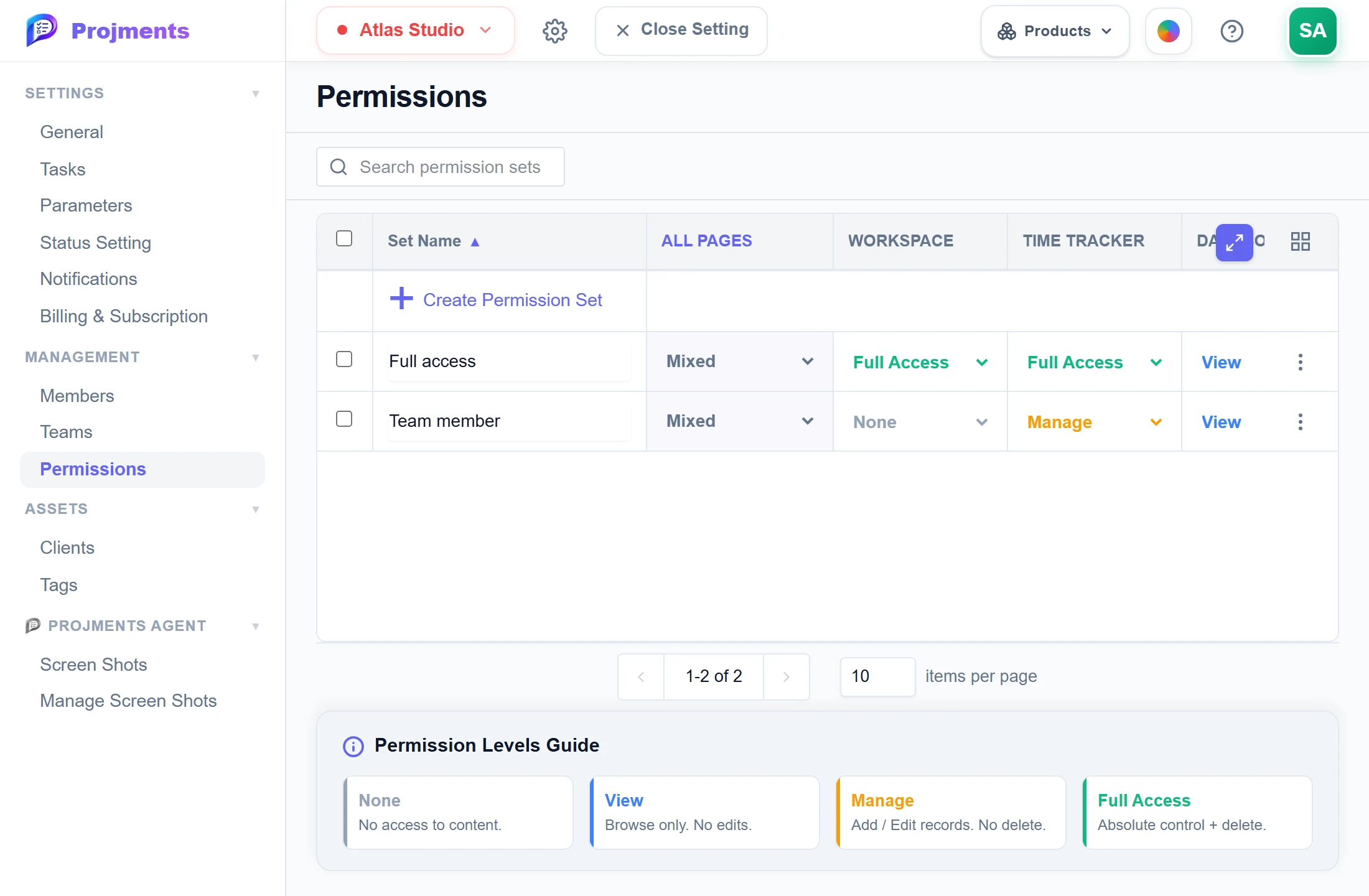
Edit a set and everyone on it changes at once.
A level for every page, from Tasks to Reports.
Explained right under the table.
None, View, Manage or Full Access.
- 1Reusable setsEdit a set and everyone on it changes at once.
- 2Per pageA level for every page, from Tasks to Reports.
- 3Four levelsNone, View, Manage or Full Access.
- 4What each level meansExplained right under the table.
Group people into teams
Design, Engineering, Finance — filter members, reports and access by team.
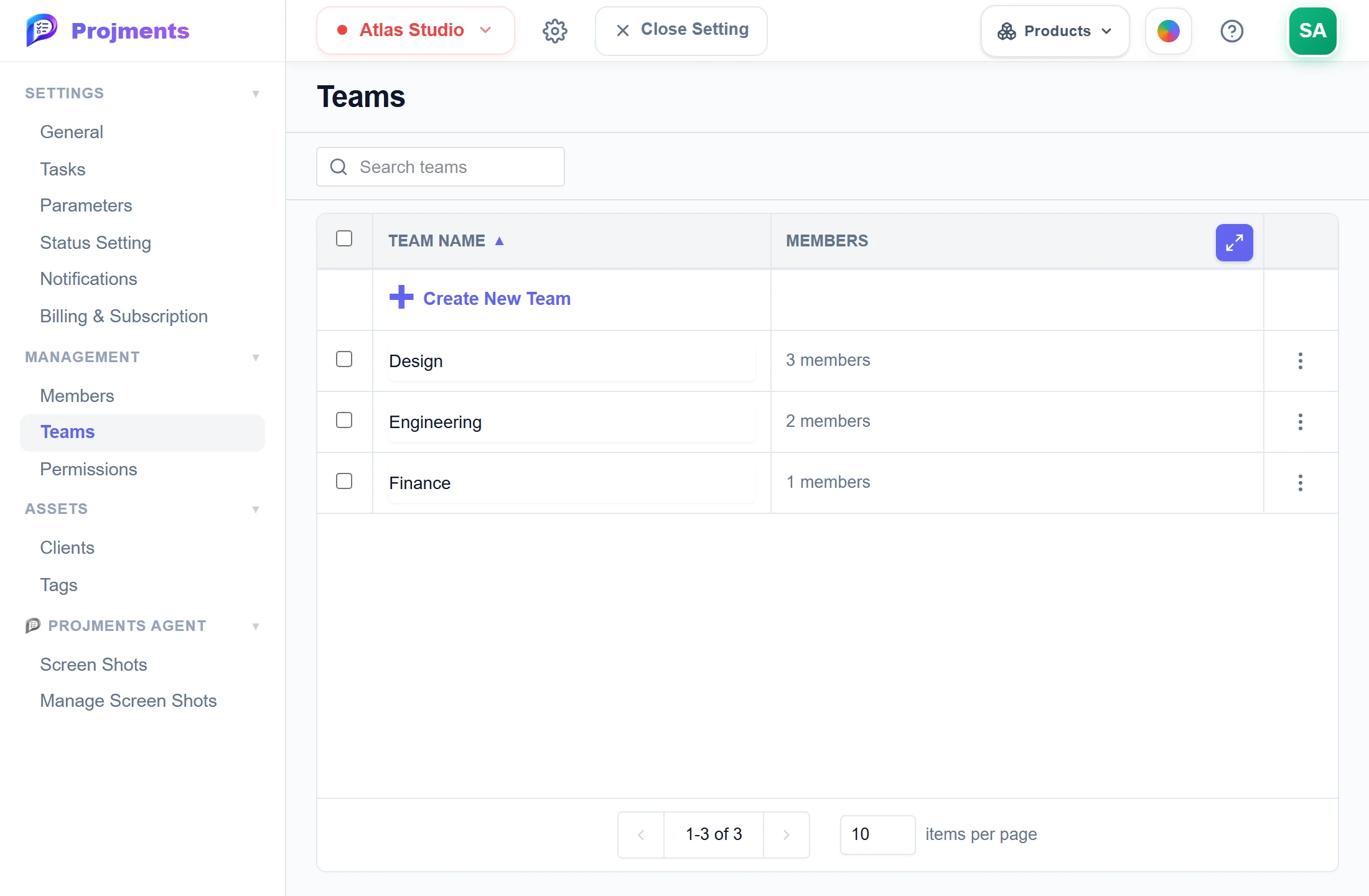
Group people the way your company works.
Name it, then add members to it.
Filter members and reports by team.
- 1New teamName it, then add members to it.
- 2Your teamsGroup people the way your company works.
- 3Who is in itFilter members and reports by team.
Choose which projects they reach
When you add someone, pick what they can do and which clients and projects they can see.
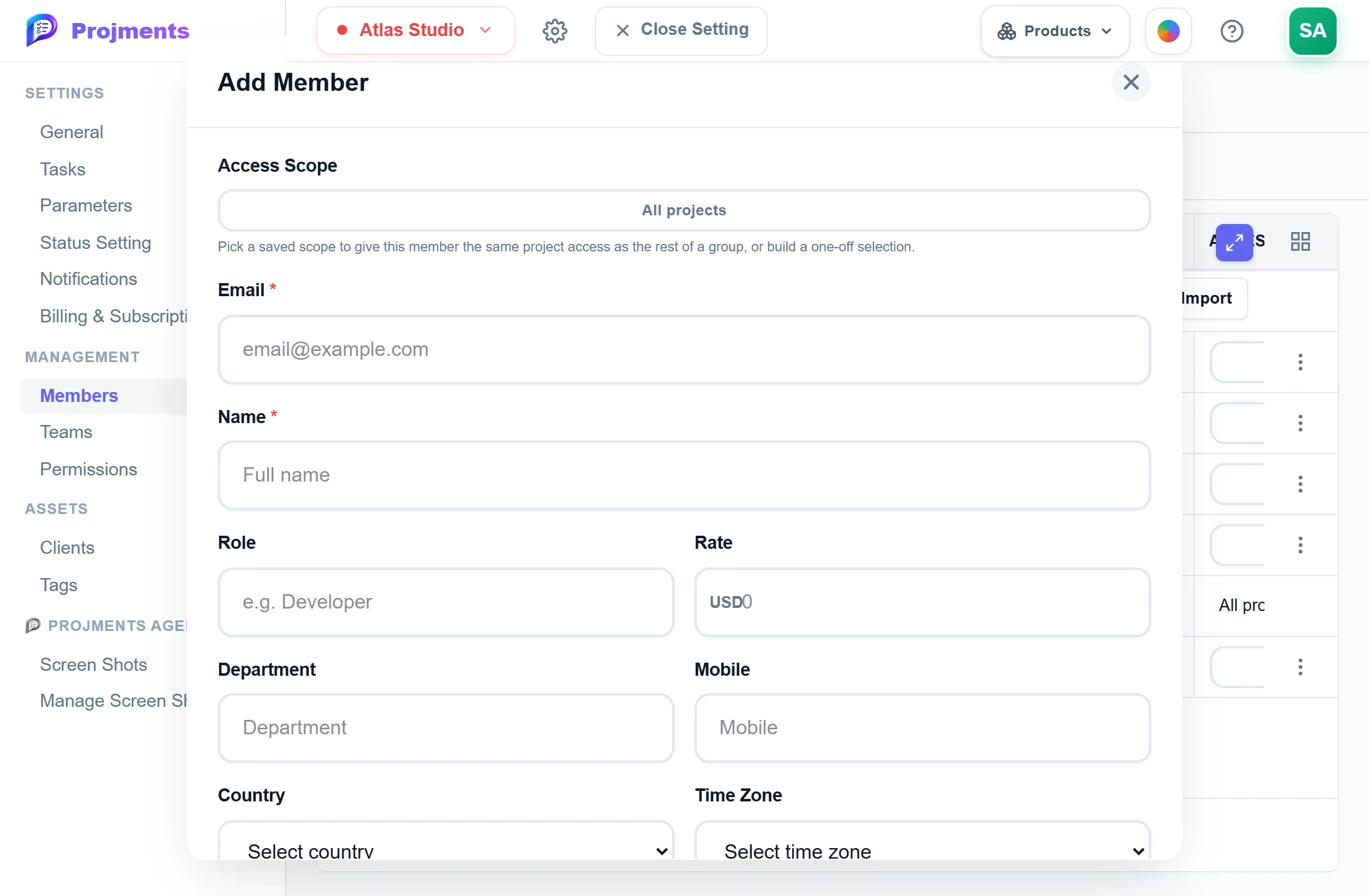
Reuse the same access for a whole group.
All projects, or only the clients and projects you pick.
Their role and billable rate, for costs and pay.
- 1Access scopeAll projects, or only the clients and projects you pick.
- 2Saved scopesReuse the same access for a whole group.
- 3Role and rateTheir role and billable rate, for costs and pay.
Good to know
Four levels per page
Set None, View, Manage or Full Access for each page, from Tasks and Expenses to Reports and Sheets.
Reusable permission sets
Name a set once and give it to many members. Editing the set changes access for everyone on it right away.
Access scopes
Limit a member to whole clients or single projects. Outside their scope, a project and its tasks simply do not exist for them.
Work without seeing budgets
Projects (Advanced) is a separate level, so people can work on projects without seeing hours totals, budgets and forecasts.
Teams and bulk edits
Group members into teams, then change role, team, permissions, scope or rate for many members at once.
Import and export the roster
Export members to Excel or CSV, or import a filled template. Every row is checked before anything is imported.
Works hand in hand with
The pictures on this page are screenshots of Projments with a sample company's data.
Ready to Supercharge Your Team?
Projects, time, collaboration and results — all in one workspace.
✓Free plan available✓No credit card required✓Cancel anytime