Organize work by client, with your own fields
Keep one list of the clients you work for, link projects to them, and add your own fields to projects, tasks, members, expenses and more.
Every plan, including Free
Clients & Custom Fields in 2 minutes
Every step on the real app. Jump to any chapter.
One list of clients
Link projects to clients, then filter and group your work by client.
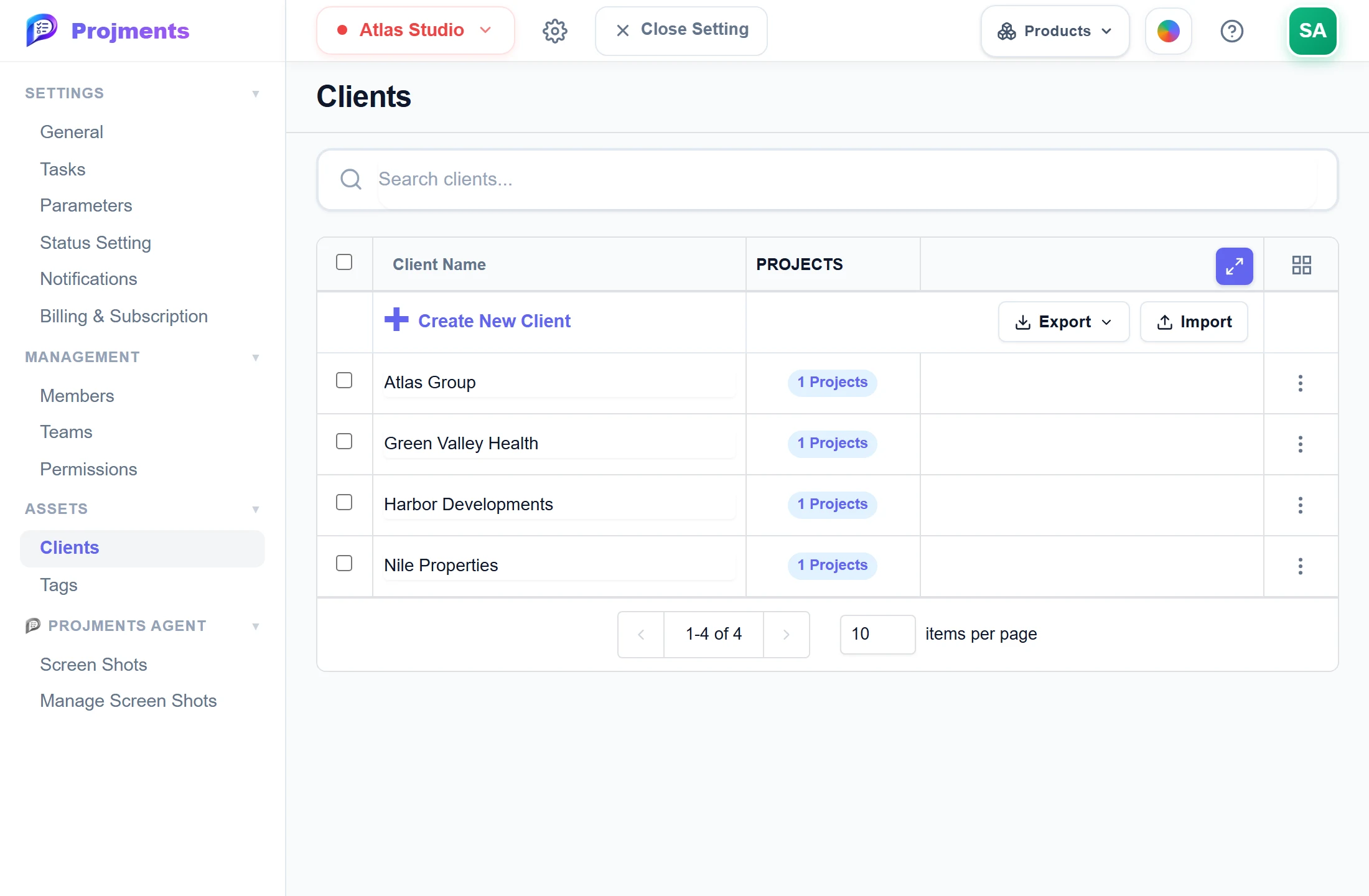
Used to filter projects, sheets, contracts and reports.
Import or export the list.
- 1Your clientsUsed to filter projects, sheets, contracts and reports.
- 2Excel in and outImport or export the list.
Fields of your own
Add your own fields to projects, submissions, tasks, contracts, members, expenses and sales.
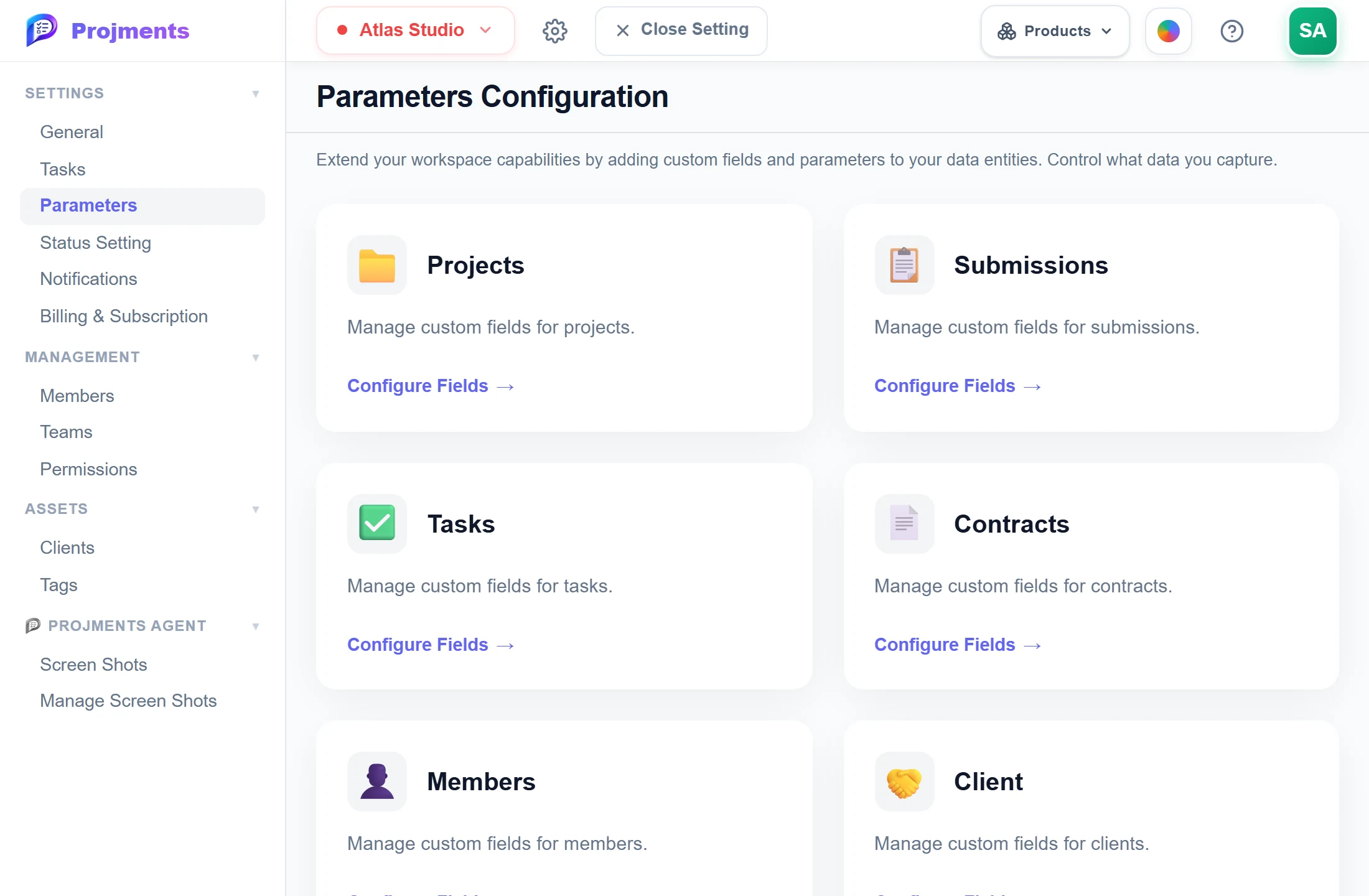
Each page has its own set of fields.
Text, number, date, dropdown or yes/no.
Each field becomes a column with its own filter.
- 1Per pageEach page has its own set of fields.
- 2Five typesText, number, date, dropdown or yes/no.
- 3Columns and filtersEach field becomes a column with its own filter.
Good to know
Group projects by client
Link each project to a client, then filter Projects, Sheets and Contracts and group Reports by Client.
Access by client
Give a member all projects of a client, including projects created later.
Your own fields
Add custom fields to Projects, Submissions, Tasks, Contracts, Members, Expenses and Sales in Settings → Parameters.
Five data types
Text, Number, Date, Select (Dropdown) or Yes/No, with up to 50 fields per page and 100 options per dropdown.
Fields where you work
Custom fields show as list columns and filters, in side panels and forms, and in exports and imports where offered.
Shared by the team
Field definitions are saved with the workspace, so every member sees the same fields. Deleting one hides its values, not erases them.
Works hand in hand with
The pictures on this page are screenshots of Projments with a sample company's data.
Ready to Supercharge Your Team?
Projects, time, collaboration and results — all in one workspace.
✓Free plan available✓No credit card required✓Cancel anytime