Separate spaces for every team
A workspace is a fully separate space with its own members, clients, projects, settings and chat. Belong to several and switch between them from the top bar.
Every plan, including Free
Defaults for everyone
Currency, dates, week start, time zone and clock — set once for the workspace.
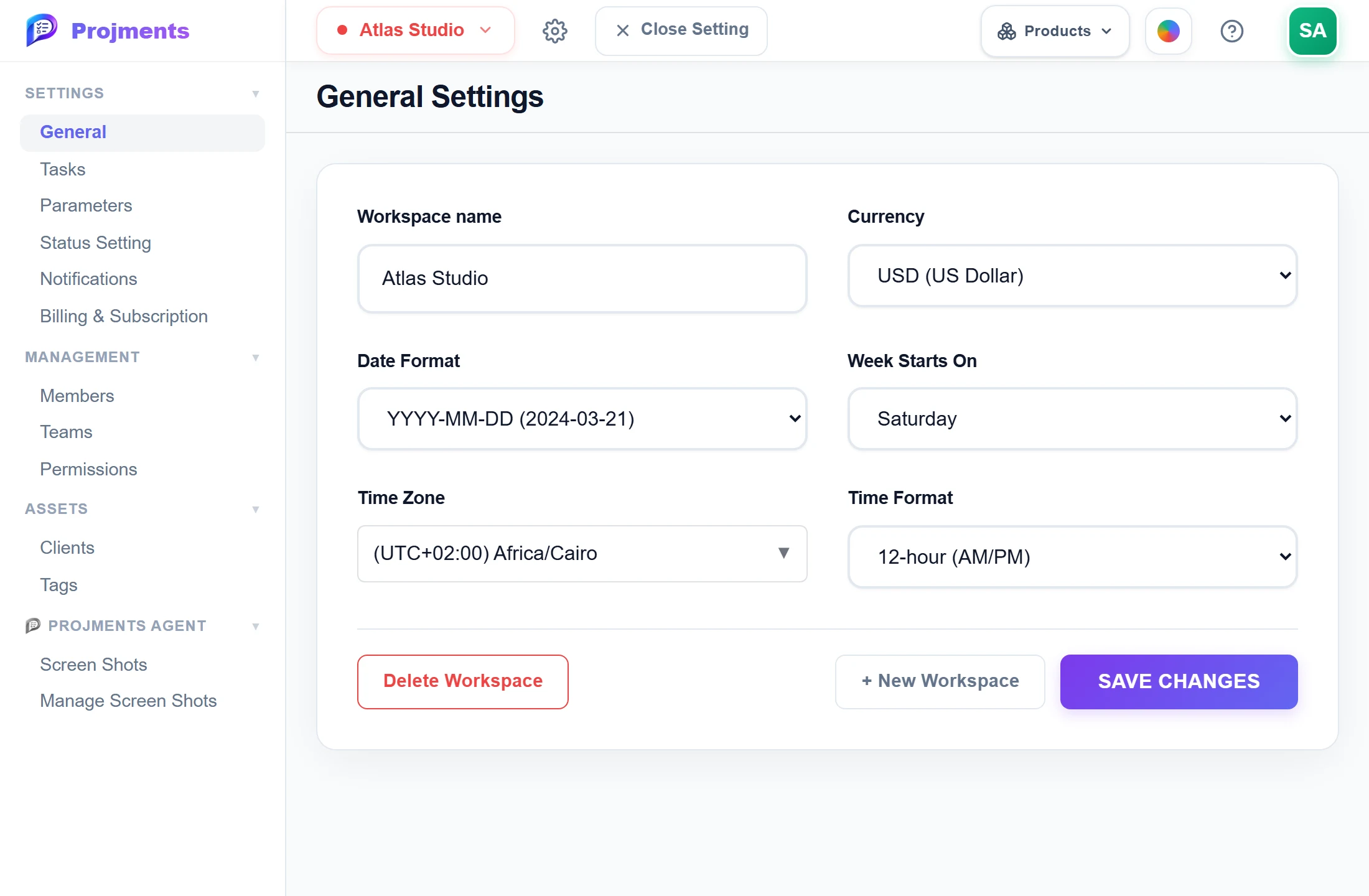
It is the first part of every address in the workspace.
Date format, week start, time zone and 12/24-hour clock.
Used across expenses, sales and contracts.
Create another fully separate space.
- 1NameIt is the first part of every address in the workspace.
- 2CurrencyUsed across expenses, sales and contracts.
- 3Dates and timeDate format, week start, time zone and 12/24-hour clock.
- 4More workspacesCreate another fully separate space.
Jump between workspaces
Belong to several workspaces and switch from the top bar — you stay on the same page.
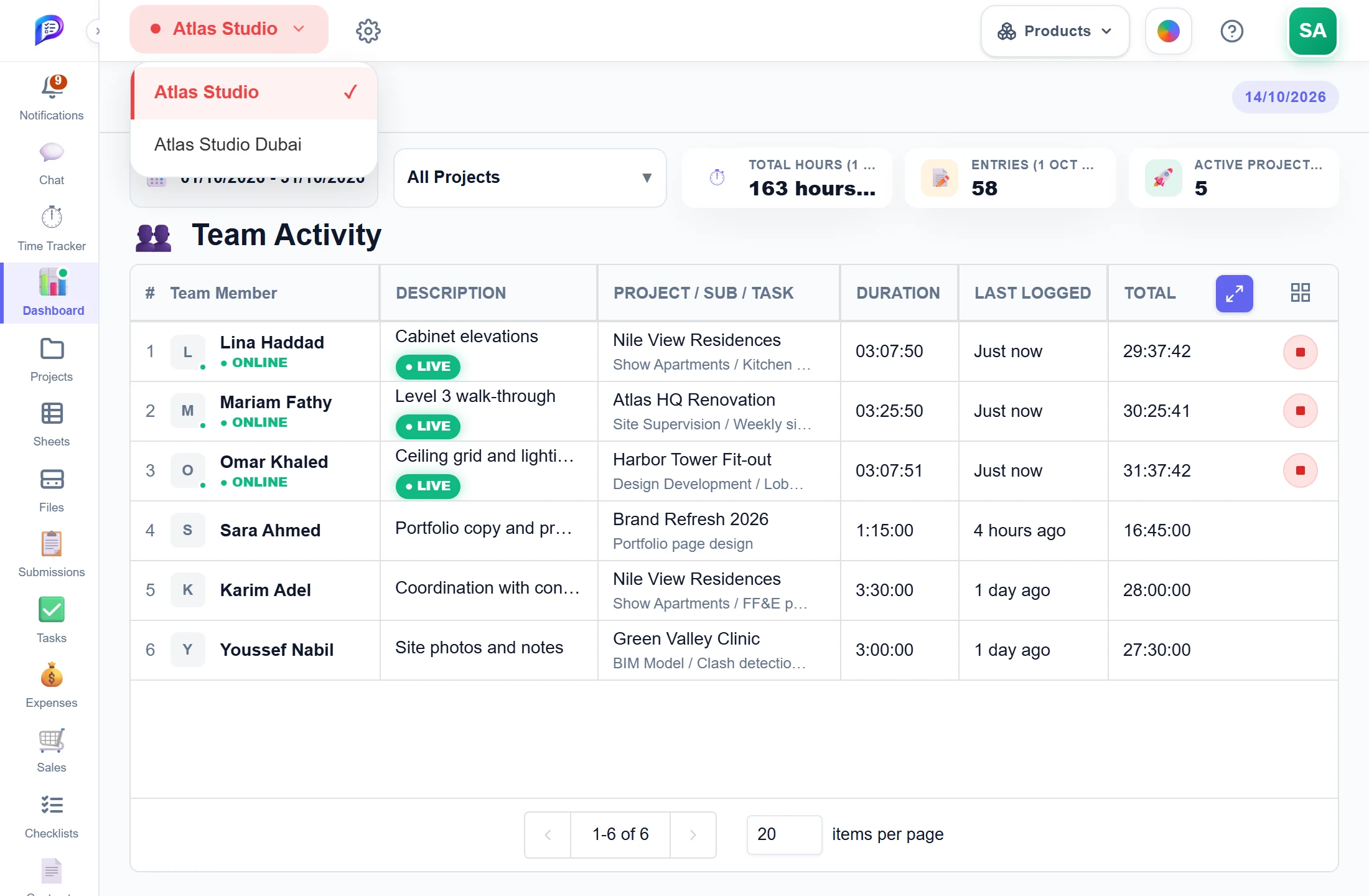
Each with its own members, projects and settings.
- 1Your workspacesEach with its own members, projects and settings.
Good to know
Nothing mixes
Each workspace keeps its own members, clients, projects, settings and chat. Nothing is shared between workspaces.
Switch and stay put
Switching keeps you on the same page, so Tasks in one workspace opens Tasks in the other.
Your own defaults
Set the currency, date format, week start, time zone and 12- or 24-hour clock for the whole workspace.
Links that land right
The workspace name is the first part of every address in it, so links you share open in the right workspace.
Plan limits
Free includes 1 workspace you own, Starter up to 3 and Professional unlimited.
Move before you delete
Deleting a workspace can first move its projects, with their tasks, logged time, files and sheets, to another workspace.
Works hand in hand with
The pictures on this page are screenshots of Projments with a sample company's data.
Ready to Supercharge Your Team?
Projects, time, collaboration and results — all in one workspace.
✓Free plan available✓No credit card required✓Cancel anytime