Proof of work, with privacy built in
The Projments Desktop App takes screenshots while a timer runs, on a schedule set for the workspace, with blur, pause and retention controls.
Professional plan
Set it once, for the workspace
How often the desktop app takes screenshots, and what it records.
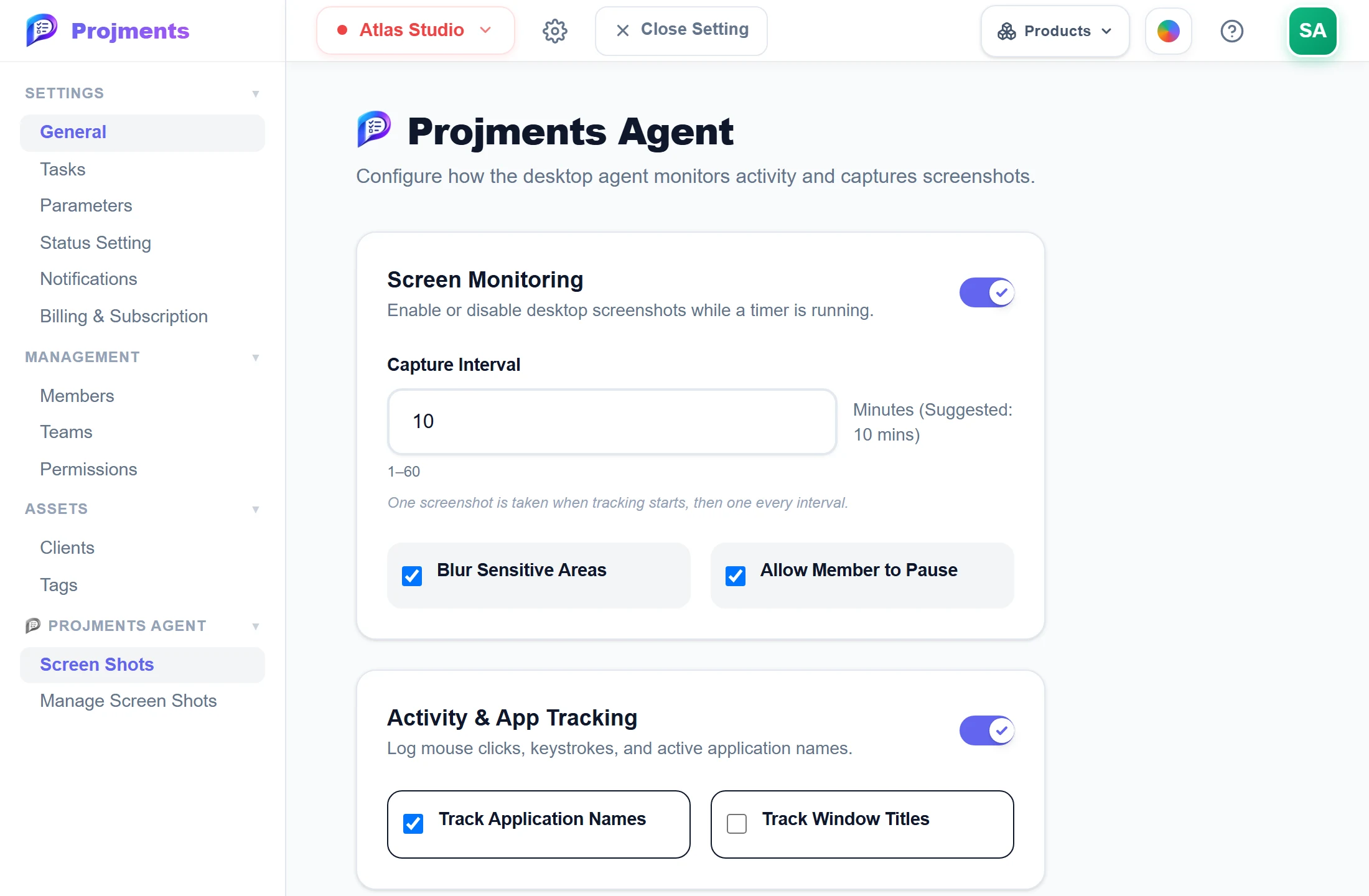
Screenshots only while a timer runs.
One when tracking starts, then one each interval.
Blur screenshots before they are uploaded.
Members can pause screenshots themselves.
Record only what you choose.
- 1On or offScreenshots only while a timer runs.
- 2Every 1–60 minutesOne when tracking starts, then one each interval.
- 3BlurBlur screenshots before they are uploaded.
- 4Let members pauseMembers can pause screenshots themselves.
- 5App names, window titlesRecord only what you choose.
Every capture, by person and time
The screenshots the desktop app took, with activity level and the app in use.
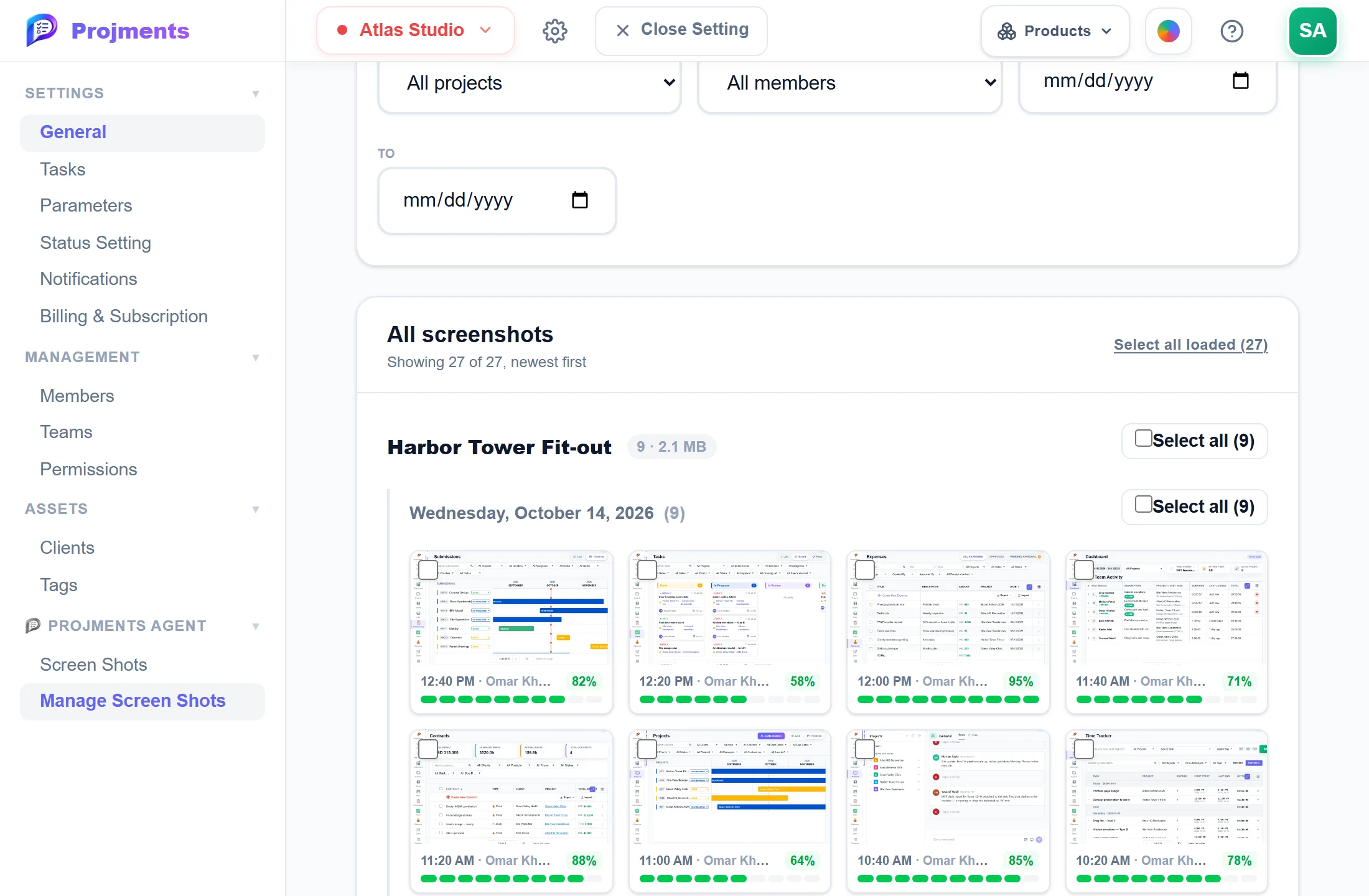
Every capture, grouped by project and day.
The time and the person on every capture.
Select and delete — the time they cover goes too.
How active keyboard and mouse were.
- 1By projectEvery capture, grouped by project and day.
- 2Activity levelHow active keyboard and mouse were.
- 3Who and whenThe time and the person on every capture.
- 4Clean upSelect and delete — the time they cover goes too.
Good to know
On a schedule
One screenshot when tracking starts, then one every 1 to 60 minutes. Nothing is taken while the timer is stopped.
Privacy controls
Blur screenshots before upload, let members pause, and record app names and window titles only if you choose.
Activity levels
Records how active the keyboard and mouse were, as counts only, never what was typed.
Retention you set
Keep screenshots 1 to 3,650 days (30 by default). Older ones are deleted daily; a project can set its own period.
Who sees what
Members see only their own screenshots. Only the workspace owner, or a member whose Role is Owner, sees everyone’s.
Evidence-backed timesheets
Deleting a screenshot also removes the time it covers, so timesheets, reports and pay never count time without evidence.
Works hand in hand with
The pictures on this page are screenshots of Projments with a sample company's data.
Ready to Supercharge Your Team?
Projects, time, collaboration and results — all in one workspace.
✓Free plan available✓No credit card required✓Cancel anytime