Make Projments look like yours
Switch between Light and Dark mode, pick a brand colour, and fine-tune text size, corner roundness and the colours of backgrounds, text, tables and buttons.
Every plan, including Free
Themes & Dark Mode in 3 minutes
Every step on the real app. Jump to any chapter.
Make it yours
Light or dark, a brand colour, text size and corner roundness — instantly.
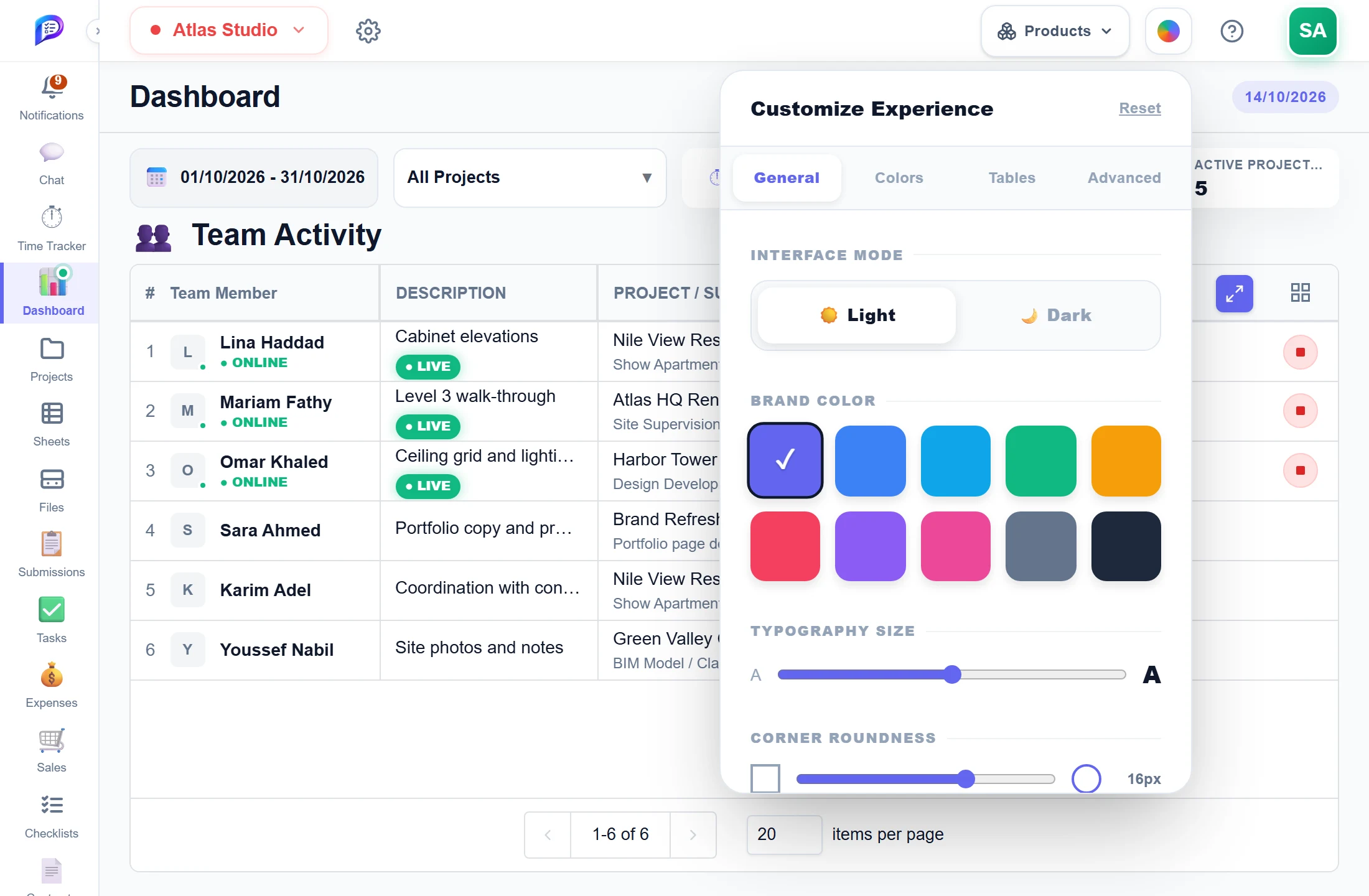
Ten presets for buttons, links and highlights.
From 85% to 115%.
Colours for backgrounds, text, tables and more.
The whole app in one click.
Square to 24 px.
- 1Light or DarkThe whole app in one click.
- 2Brand colourTen presets for buttons, links and highlights.
- 3Text sizeFrom 85% to 115%.
- 4Corner roundnessSquare to 24 px.
- 5Every surfaceColours for backgrounds, text, tables and more.
Good to know
Light or Dark
Customize Experience opens on two cards, Light and Dark: one click switches the whole app.
Brand colour
Pick one of ten preset accent colours for buttons, links and highlights. Indigo is the default.
Text size
Typography Size scales text from 85% to 115%.
Corner roundness
Set corners anywhere from 0 px for square to 24 px. The default is 16 px.
Every surface
Colour backgrounds, text, tables, borders, status indicators and the Create New button, from a grid or any custom colour.
Personal and instant
Changes apply instantly, to you only, and are saved in this browser. Reset puts everything back to the default.
Works hand in hand with
The pictures on this page are screenshots of Projments with a sample company's data.
Ready to Supercharge Your Team?
Projects, time, collaboration and results — all in one workspace.
✓Free plan available✓No credit card required✓Cancel anytime