Repeatable steps, ticked off together
Capture any process you repeat, from onboarding steps to QA gates. Every checklist is shared, so the whole team sees the same lists and the same ticks.
Every plan, including Free
Checklists in 3 minutes
Every step on the real app. Jump to any chapter.
Shared, step by step
Every checklist is shared: the whole team sees the same items and ticks.
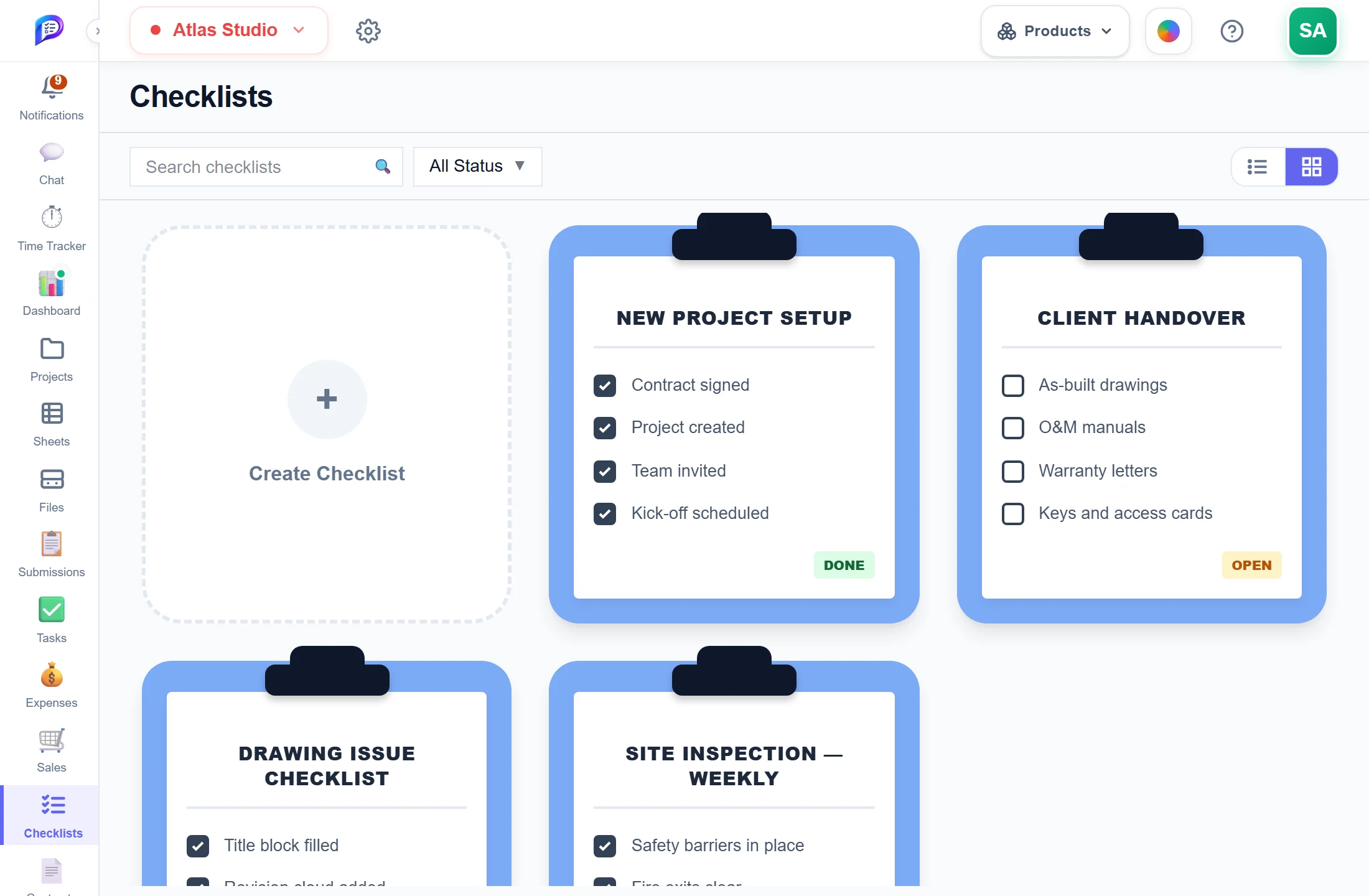
Your own statuses work here too.
Up to 500 items each.
Each checklist with its items and ticks.
- 1New checklistUp to 500 items each.
- 2Clipboard cardsEach checklist with its items and ticks.
- 3Filter by statusYour own statuses work here too.
Tick it as you go
A checklist opens in a floating panel that stays on screen as you move around.
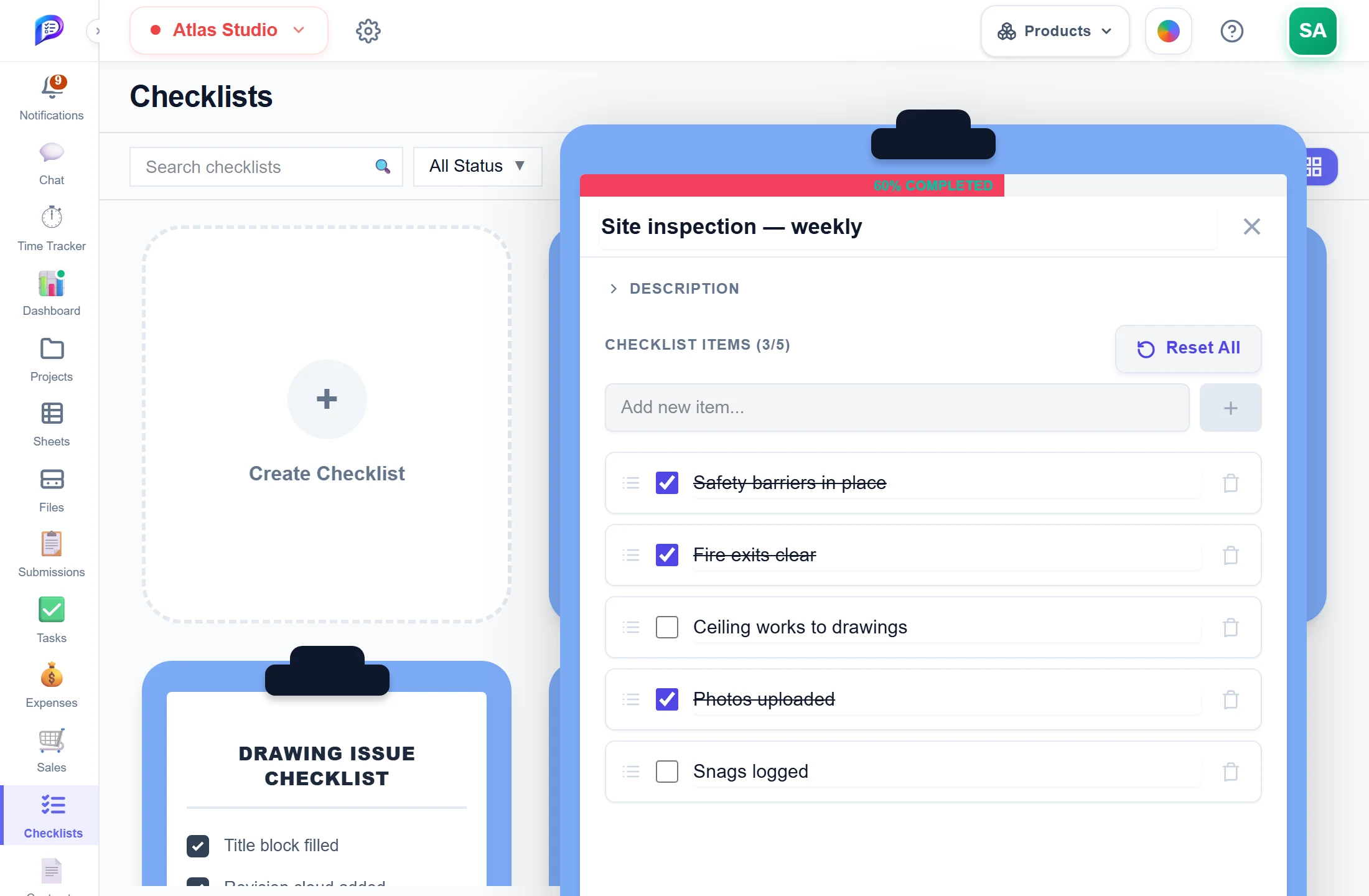
Type and press +. Commas add several.
Saved for the whole team at once.
Fills as items are ticked.
Untick everything for the next round.
- 1ProgressFills as items are ticked.
- 2Reset AllUntick everything for the next round.
- 3Tick items offSaved for the whole team at once.
- 4Add itemsType and press +. Commas add several.
Good to know
Shared by default
Everyone who can open Checklists sees the same lists and the same ticks.
A panel that follows you
A checklist opens in a floating panel that stays on screen while you move to other pages.
Start a new round
Reset All unticks every item and keeps the items, ready for the next cycle.
Progress at a glance
Grid View shows clipboard cards. List View shows a progress bar and percentage that turns green at 100%.
Room for detail
Up to 500 items per checklist, plus a description for each checklist.
Desktop and phone
Tick items from the Checklists tab of the Desktop App and from the Android app.
Works hand in hand with
The pictures on this page are screenshots of Projments with a sample company's data.
Ready to Supercharge Your Team?
Projects, time, collaboration and results — all in one workspace.
✓Free plan available✓No credit card required✓Cancel anytime