Your workflow, your labels
Set the statuses and priorities your team uses, in your own colours and order, and tag tasks, time entries, expenses and sales to slice work across projects.
Every plan, including Free
Statuses & Tags in 3 minutes
Every step on the real app. Jump to any chapter.
Your workflow, your colours
Priorities and statuses your way: rename, recolour, reorder.
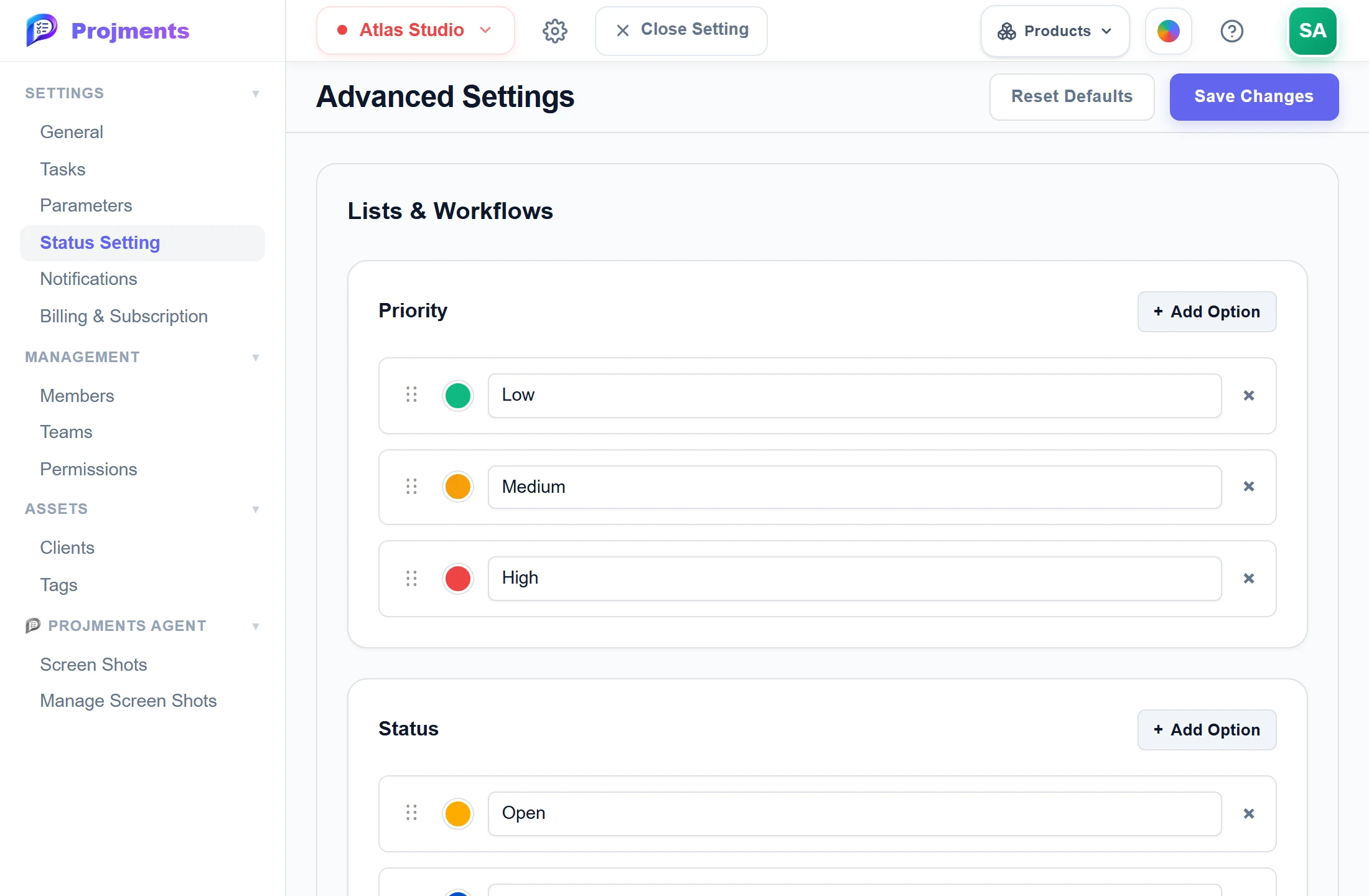
Low, Medium, High — or your own.
Used by tasks, projects, submissions and checklists.
Up to 50 per list.
Pick a colour and rename it.
- 1PrioritiesLow, Medium, High — or your own.
- 2Add optionsUp to 50 per list.
- 3Colours and namesPick a colour and rename it.
- 4One status listUsed by tasks, projects, submissions and checklists.
Labels across everything
Shared tags for tasks, time entries, expenses and sales.
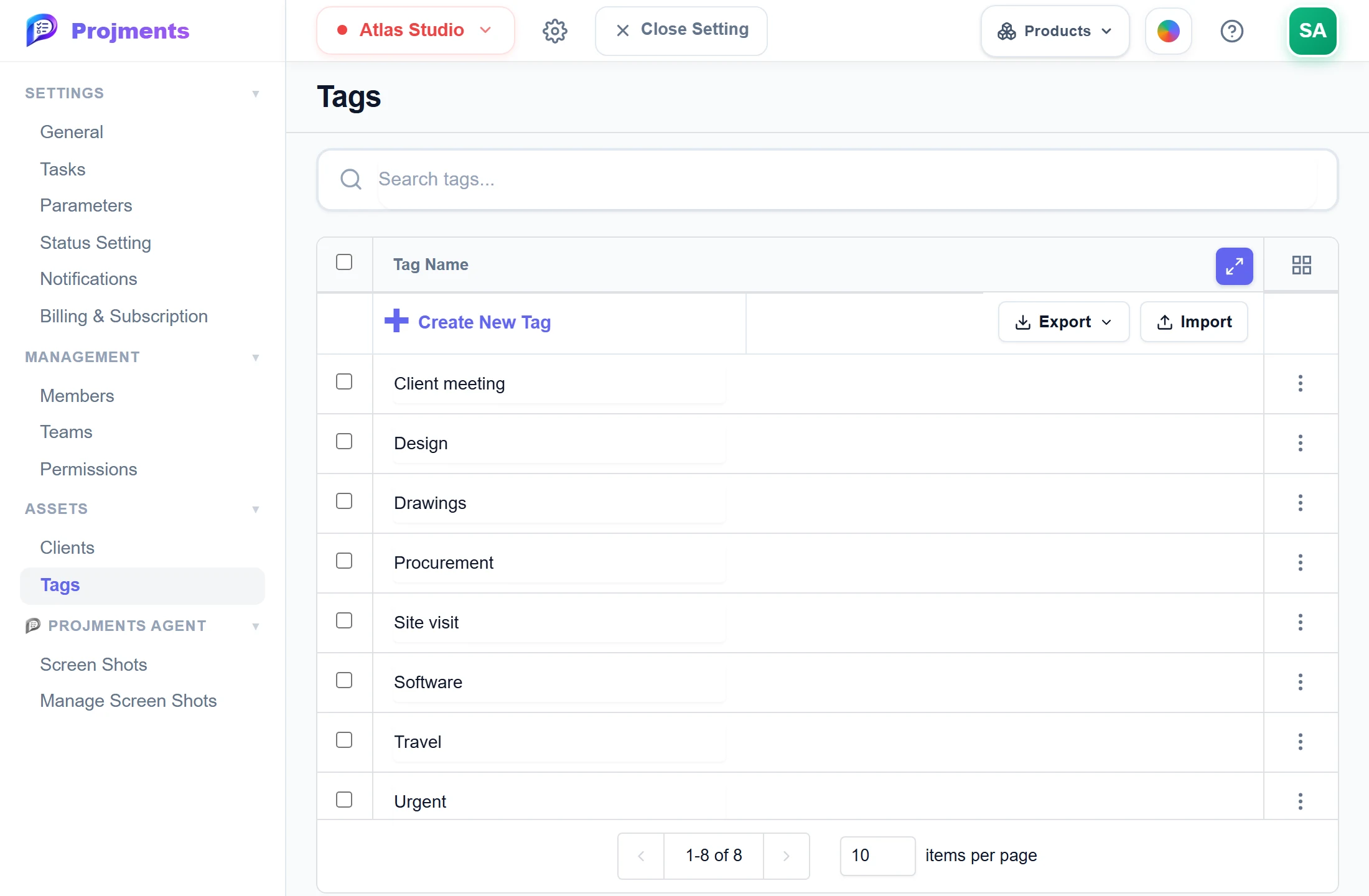
Rename once and every item follows.
- 1One list of tagsRename once and every item follows.
Good to know
Statuses your way
Add, rename, recolour, reorder and remove statuses. One list serves tasks, projects, submissions and checklists.
Priorities too
Priority starts as Low, Medium and High and is edited the same way, up to 50 options per list.
Contract and expense statuses
Rename and recolour Pending and Approved. Approved decides which contracts count as confirmed income.
Tags across your work
Tag tasks, time entries, expenses and sales, filter each page with All Tags, and filter or group Reports by Tag.
Rename once
Renaming a tag updates every task, time entry, expense and sale that carries it, so filters and reports keep working.
Consistent names
Tag names are unique regardless of case. Free allows 10 tags; Starter and Professional are unlimited.
Works hand in hand with
The pictures on this page are screenshots of Projments with a sample company's data.
Ready to Supercharge Your Team?
Projects, time, collaboration and results — all in one workspace.
✓Free plan available✓No credit card required✓Cancel anytime