Every project, all in one place
A project ties a client, a key, the team’s work and its money together. Open one to run its submissions, tasks, files, sheets, contracts, expenses and sales.
Every plan, including Free
Projects in 5 minutes
Every step on the real app. Jump to any chapter.
Every project in one list
Client, key, dates, status and your own fields — filter by any of them.
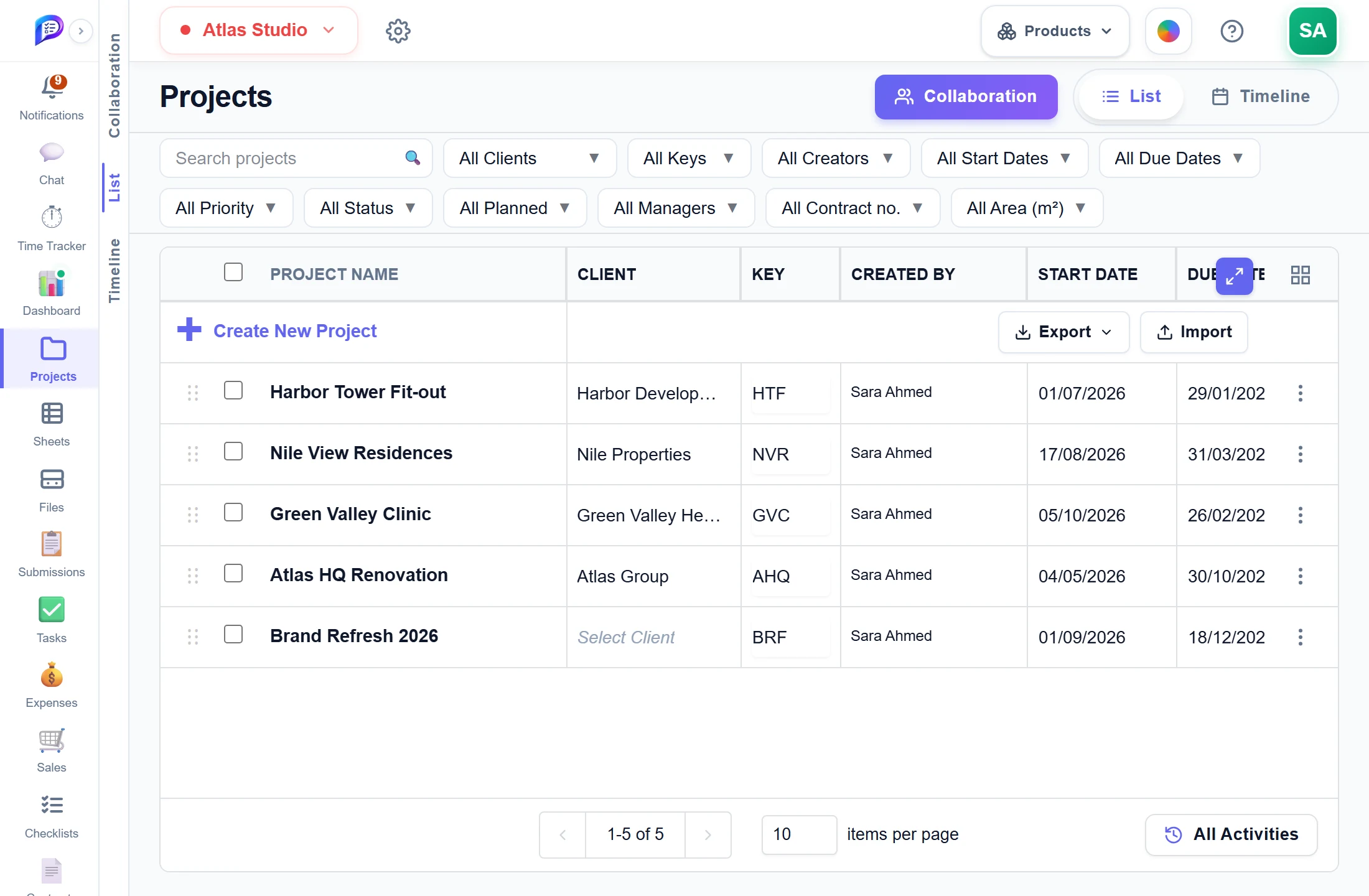
Client, key, dates, priority, status, manager — and your own fields.
Its submissions, tasks, files, money and forecast.
Import up to 500 projects, or export the list.
Short keys that prefix every task and submission.
- 1Filter anythingClient, key, dates, priority, status, manager — and your own fields.
- 2Open a projectIts submissions, tasks, files, money and forecast.
- 3Project keysShort keys that prefix every task and submission.
- 4Excel in and outImport up to 500 projects, or export the list.
Plan on a timeline
Drag a bar to move a project, or drag its ends to change the dates.
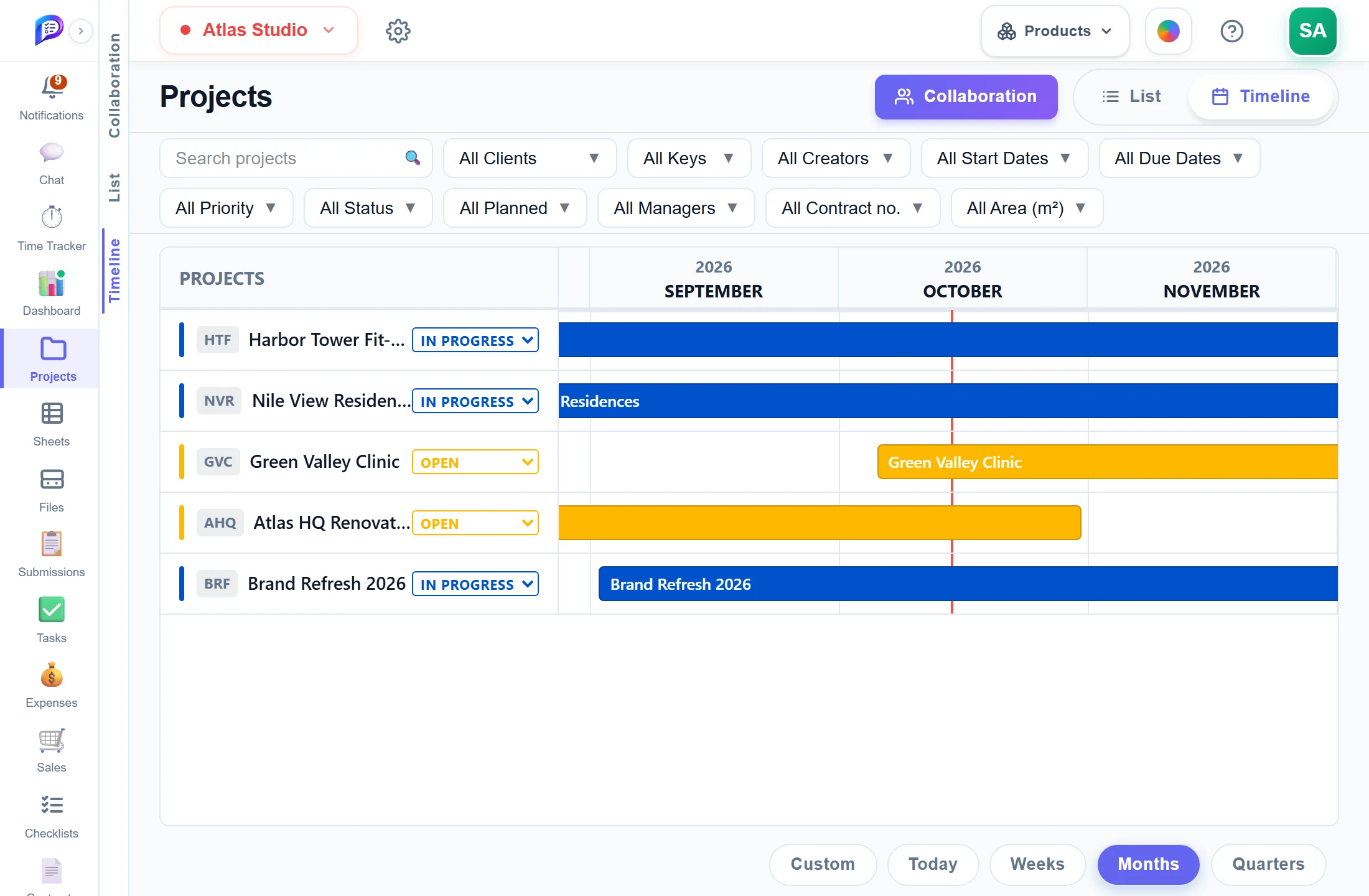
Change a project’s status right from the timeline.
Move the bar or stretch either end.
Weeks, months or quarters.
- 1Status in placeChange a project’s status right from the timeline.
- 2Drag to rescheduleMove the bar or stretch either end.
- 3ZoomWeeks, months or quarters.
Talk it through inside the project
Collaboration, beside List and Timeline, gives every project its own rooms: post updates, reply in threads and @mention the team.
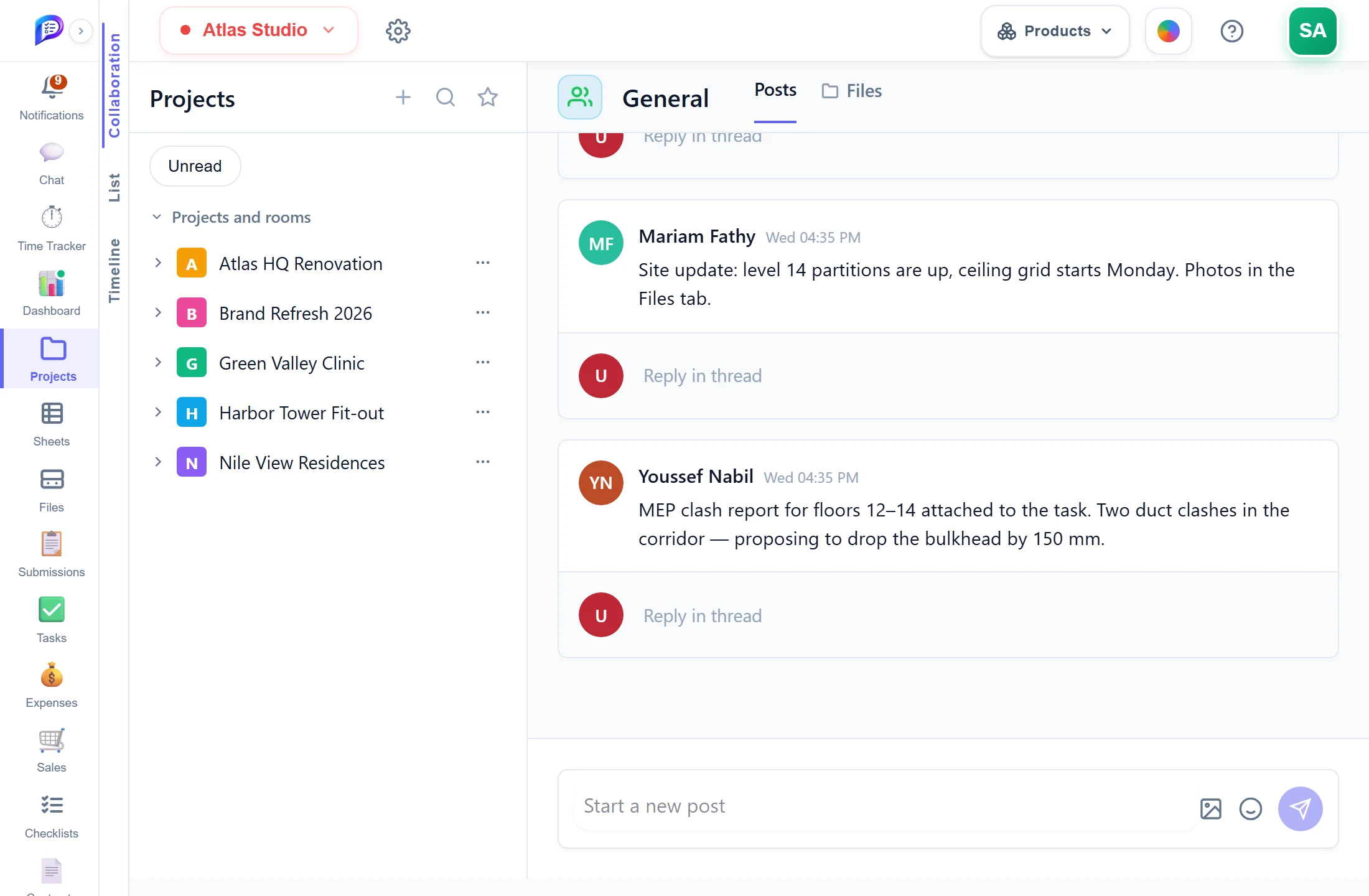
Collaboration sits beside List and Timeline.
A General room on every project, plus one per topic or trade.
The project’s files beside the feed — the same as its FILES tab.
Post text and pictures; react and @mention teammates.
Reply under any post; its author is notified.
- 1Part of ProjectsCollaboration sits beside List and Timeline.
- 2Rooms per projectA General room on every project, plus one per topic or trade.
- 3Posts and FilesThe project’s files beside the feed — the same as its FILES tab.
- 4Updates and imagesPost text and pictures; react and @mention teammates.
- 5ThreadsReply under any post; its author is notified.
Every change, on the record
All Activities lists who created, changed or deleted what, and when.
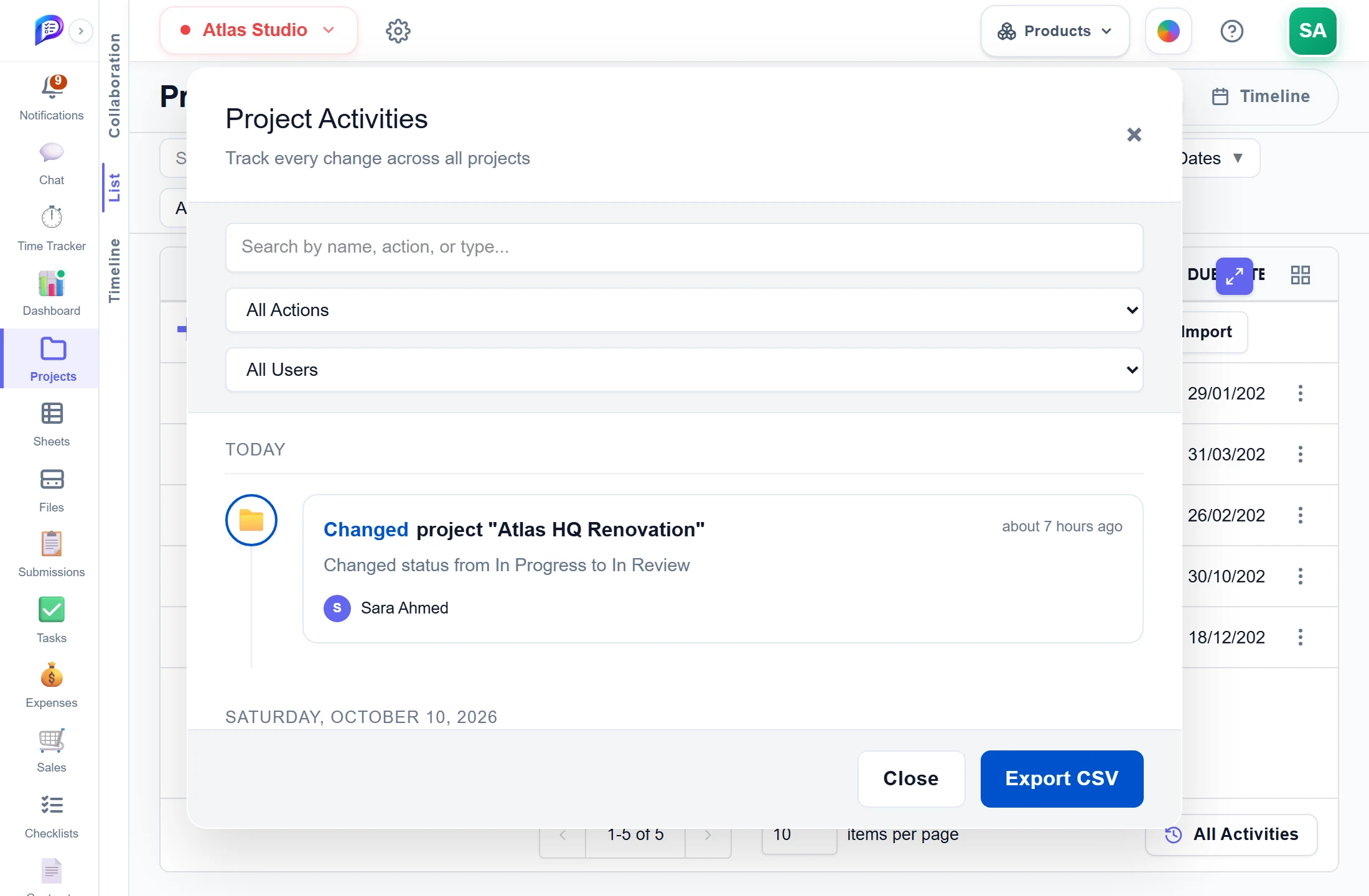
Created, changed, deleted — and by person.
By name, action or type.
Who did it, when, and from what to what.
Take the log as a CSV file.
- 1SearchBy name, action or type.
- 2FilterCreated, changed, deleted — and by person.
- 3What changedWho did it, when, and from what to what.
- 4ExportTake the log as a CSV file.
Good to know
Gantt-style Timeline
Drag a project’s bar to move its dates or drag either end to change one. The Timeline needs Starter.
Status tab
One page of tasks, submissions, hours and money, with Net Profit (Approved) and Profit Margin. Needs Starter.
Forecast tab
Project Health, burn rate and an estimated completion date against the hours in the project’s contracts. Needs Professional.
Spreadsheets in and out
Export to Excel or CSV, and import up to 500 projects at once from a template with a preview of every row.
Delete without losing work
Deleting a project can first move its tasks, submissions, logged time, files, sheets and rooms to another project.
Room to grow
Free includes 1 project, Starter 100, and Professional is unlimited.
Works hand in hand with
The pictures on this page are screenshots of Projments with a sample company's data.
Ready to Supercharge Your Team?
Projects, time, collaboration and results — all in one workspace.
✓Free plan available✓No credit card required✓Cancel anytime