Project rooms for decisions and updates
Every project gets its own rooms, such as General, Design or Site. Post updates, reply in threads, share images, react and @mention teammates.
Professional plan
A room for every topic
Each project gets a General room; add more for design, site or any trade.
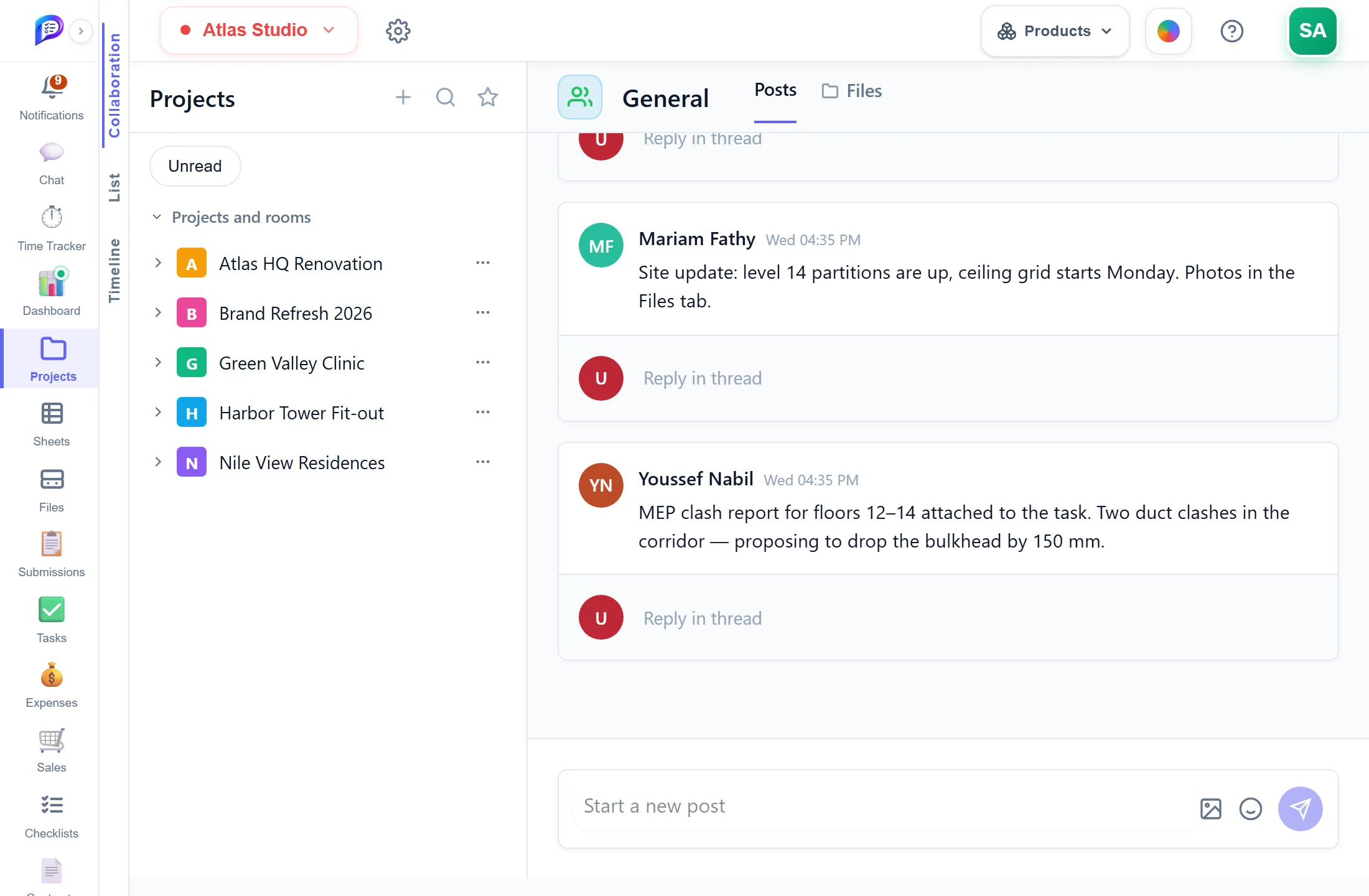
Reply under any post; its author is notified.
Every project you can reach, with its rooms.
The feed, and the project’s files beside it.
Post text and images, react and @mention people.
- 1Rooms per projectEvery project you can reach, with its rooms.
- 2Posts and filesThe feed, and the project’s files beside it.
- 3Updates from the teamPost text and images, react and @mention people.
- 4ThreadsReply under any post; its author is notified.
Good to know
A room per topic
Every project gets a General room automatically, and you can add more rooms for each topic or trade.
Threaded replies
Reply in thread under any post. The post’s author is notified of each reply.
@mentions that notify
Type @ to pick a workspace member. Each person you mention gets a notification that opens the post.
Images in the feed
Attach one PNG, JPEG, WebP or GIF up to 10 MB per post. It also appears in the project’s Collaborate folder in Files.
Project files at hand
The Files tab beside Posts shows the project’s files and folders, shared by all its rooms.
Clear permission levels
View reads, Manage posts and adds rooms, Full Access also deletes. Nobody can edit another person’s post.
Works hand in hand with
The pictures on this page are screenshots of Projments with a sample company's data.
Ready to Supercharge Your Team?
Projects, time, collaboration and results — all in one workspace.
✓Free plan available✓No credit card required✓Cancel anytime