Only the events that need your attention
Mentions, replies, reactions, missed calls, approvals and hour overruns arrive instantly in one panel, without reloading the page.
Starter and Professional plans
Everything that needs you
The bell in the sidebar opens a panel of what happened, newest first.
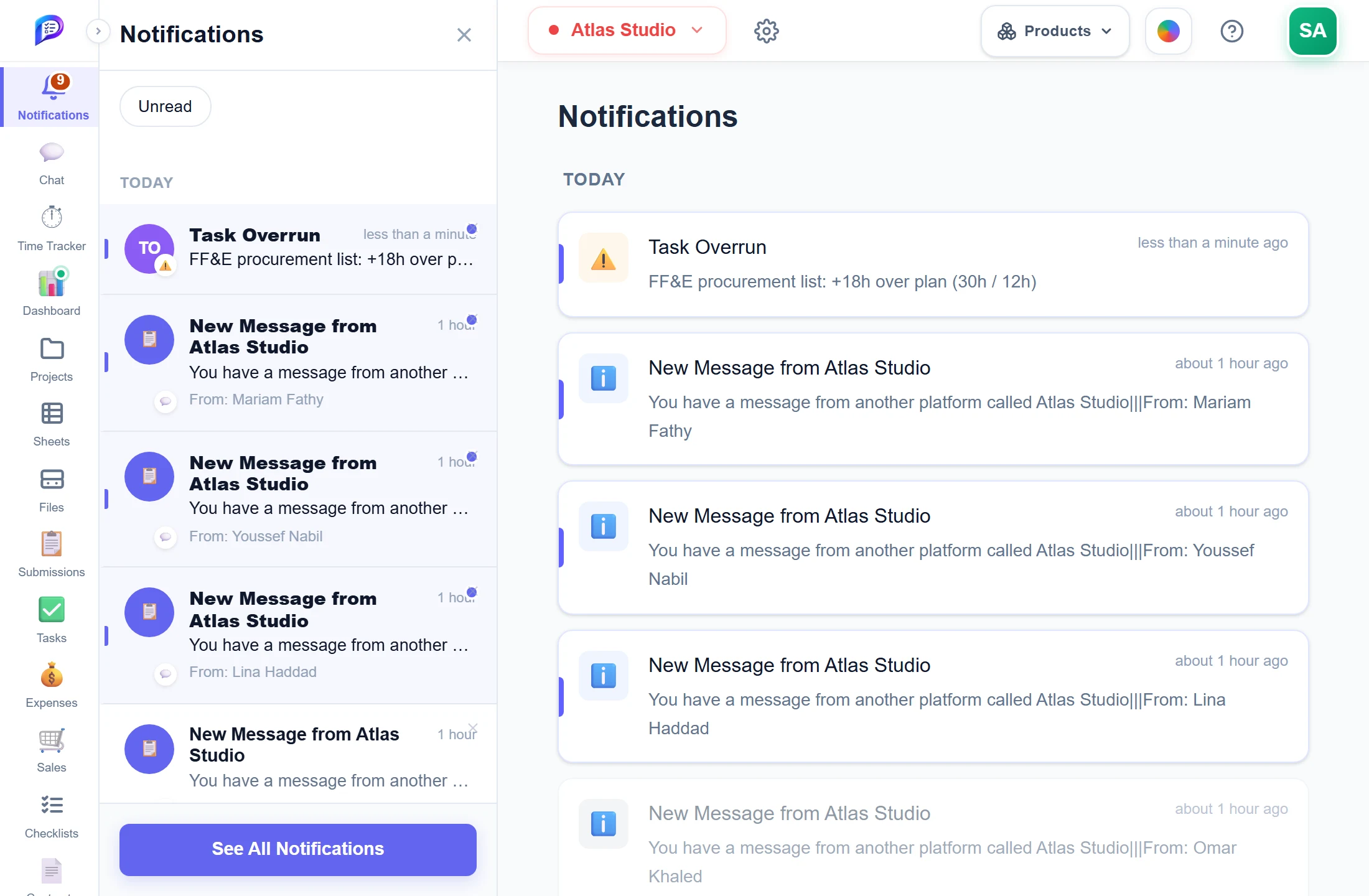
Hide what you have already seen.
Every notification on its own page.
Logged hours passed the plan — here, by 18 hours.
- 1Unread onlyHide what you have already seen.
- 2Overrun alertsLogged hours passed the plan — here, by 18 hours.
- 3The full listEvery notification on its own page.
Alerts you choose
Choose which overruns raise a bell and how over-plan rows are highlighted.
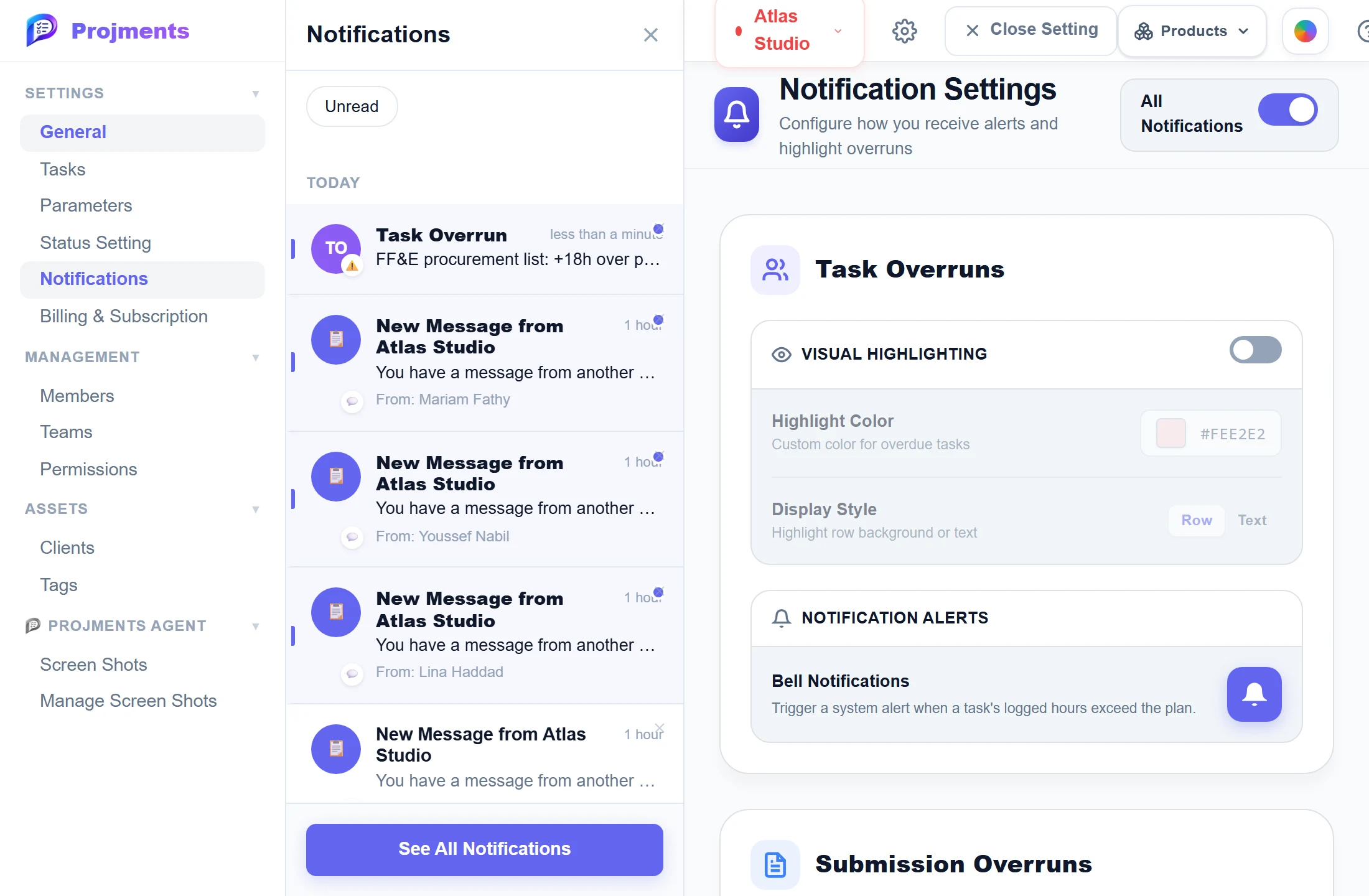
Colour the rows that are over their hours.
An alert when a task’s logged hours pass its plan.
One switch for the whole workspace.
- 1All on or offOne switch for the whole workspace.
- 2Visual HighlightingColour the rows that are over their hours.
- 3Bell notificationsAn alert when a task’s logged hours pass its plan.
Good to know
Mentions, replies, reactions
Hear when someone @mentions you, replies to your Collaboration post, or reacts to your post or chat message.
Approvals in the loop
Approvers get Approval Needed for new or edited expenses and sales, and the sender hears when it is approved or rejected.
Overrun alerts
Optional Task, Submission and Project Overrun alerts flag logged hours that pass the plan, switched on per workspace.
Visual Highlighting
Colour the rows that are over their hours, with your own Highlight Color and a Row or Text display style.
Read once, cleared everywhere
Reading or removing a notification also clears it on your other devices and in the Android app.
Push to your phone
The Android app pushes new chat messages, incoming calls, and expense and sale approvals.
Works hand in hand with
The pictures on this page are screenshots of Projments with a sample company's data.
Ready to Supercharge Your Team?
Projects, time, collaboration and results — all in one workspace.
✓Free plan available✓No credit card required✓Cancel anytime