Deliveries and milestones, on one timeline
A submission is a delivery phase or milestone inside a project. Group its tasks, plan its hours and see how far along it is and how much time it has taken.
Every plan, including Free
Deliveries with progress
Phases and milestones inside each project, with their tasks nested below.
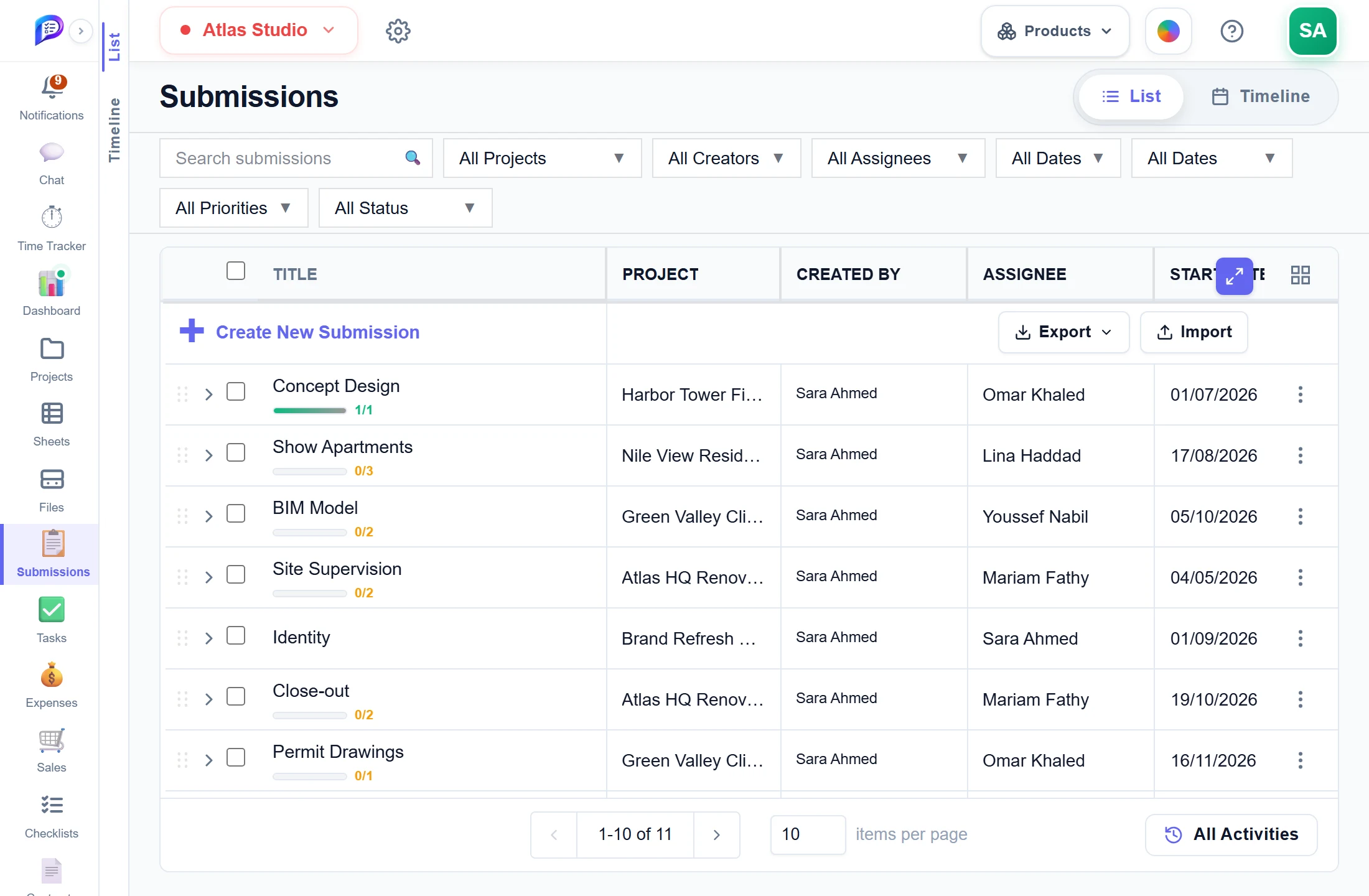
Add one straight into the list.
Done and total tasks under every title.
Assignee, dates and planned hours per submission.
- 1Progress at a glanceDone and total tasks under every title.
- 2An owner for eachAssignee, dates and planned hours per submission.
- 3Create in placeAdd one straight into the list.
Milestones on a timeline
See every delivery against the calendar and drag to reschedule.
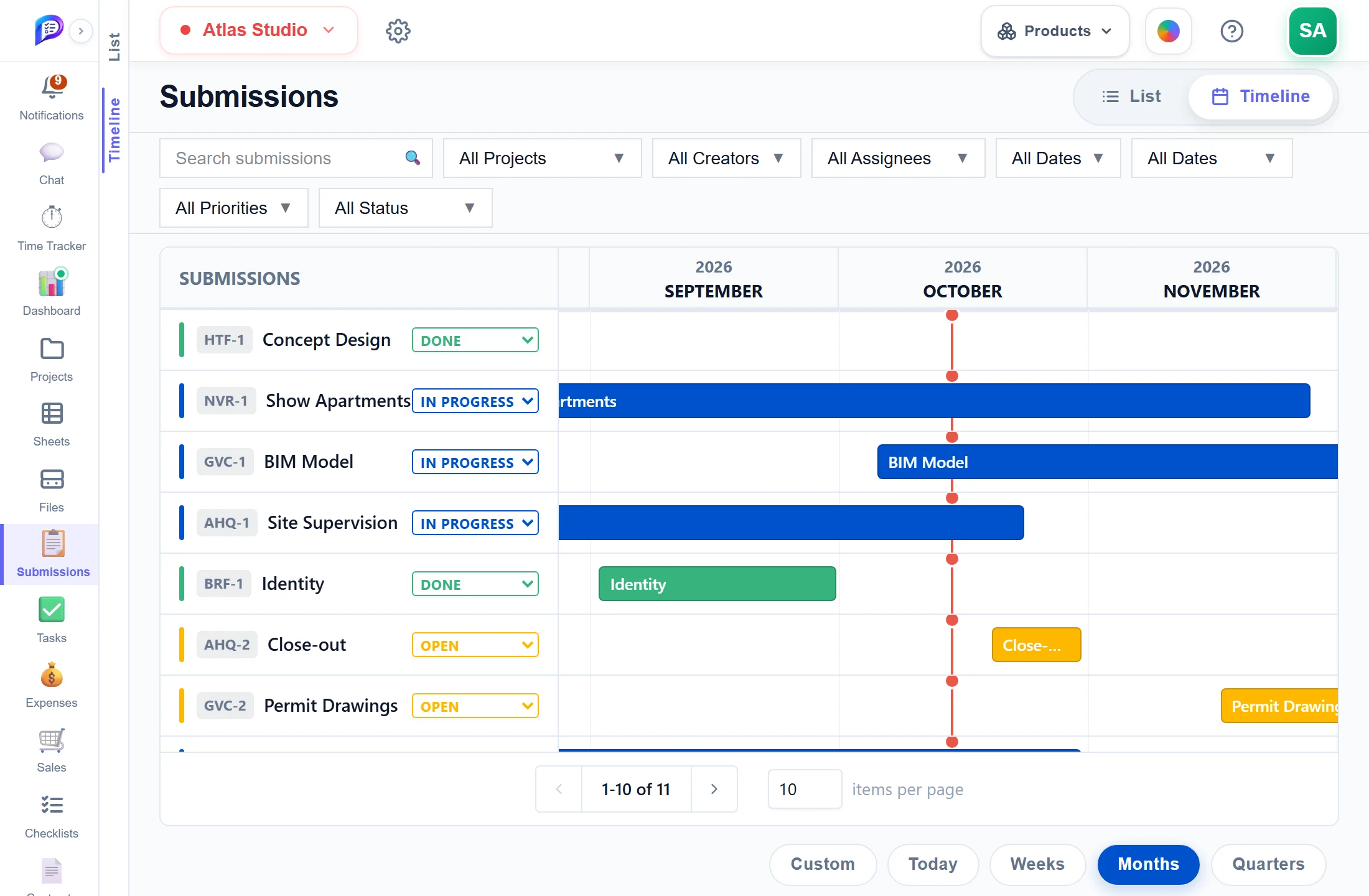
Each submission with its key and status.
Move a delivery, or stretch its dates.
Weeks, months or quarters.
- 1Keys and statusEach submission with its key and status.
- 2Drag the barsMove a delivery, or stretch its dates.
- 3ZoomWeeks, months or quarters.
Good to know
List and Timeline
Edit cells in place in the List, or drag bars on the Timeline to reschedule. The Timeline needs Starter.
Tasks nested inside
Expand a submission to see and create its tasks, with a done/total count under its title.
Hours from the contract
Allocate Hours shows the project’s contract budget and stops you planning more than is left.
Overruns flagged
Total Duration adds up the time on its tasks, running timers included, and is flagged once it passes the plan.
Bulk edit and import
Edit status, priority, project, assignee or dates for many submissions at once, and import up to 500 rows.
Plan limits
Free allows 50 submissions per workspace. Starter and Professional are unlimited.
Works hand in hand with
The pictures on this page are screenshots of Projments with a sample company's data.
Ready to Supercharge Your Team?
Projects, time, collaboration and results — all in one workspace.
✓Free plan available✓No credit card required✓Cancel anytime